Now Reading: Your First Python Program: How to Print Hello World (No Experience Needed)
- 01
Your First Python Program: How to Print Hello World (No Experience Needed)

Written by Hamza Sanaulla
Your First Python Program: How to Print Hello World (No Experience Needed). You have probably heard that learning to code is like climbing a mountain in a blizzard, confusing, cold, and reserved for math prodigies who breathe pure logic.
Let’s dispel that myth right now. Coding isn’t about memorizing complex mathematical formulas; it’s about giving clear directions to a machine. If you can write a recipe or explain to a friend how to get to your favorite coffee shop, you already have the core logical skills required to build software.
Today, we are stripping away the academic gatekeeping. No prior knowledge is required. We will walk through setting up your computer, writing your very first line of code, and executing a real, live script. By the end of this guide, you will transition from someone who uses technology to someone who builds it. Welcome to the world of software development.
What Is a Python Hello World Program?
In computer engineering, a Hello, World! script is the most fundamental program you can write. It is a simple, elegant script that instructs a computer to display the words Hello, World! onto a screen. When you dive into a beginner Python tutorial, this is universally your starting line. It is designed to bypass complex logic so you can focus entirely on the mechanics of writing, saving, and executing a file. Think of it as a low-stakes icebreaker between you and a new computer language.
If you want to learn Python from scratch, you must accept that your computer is incredibly powerful but profoundly literal. It does absolutely nothing until you give it explicit commands. The Hello World script serves as the easiest Python program for beginners because it requires no understanding of memory management, database connections, or math. It is a pure, distilled Python code for a beginner’s example that proves you can successfully speak the computer’s language.
Historically, this tradition acts as a baseline functionality test. When professional software engineers install a massive new system or configure a cloud server, they don’t immediately run a million-dollar algorithm. They run a basic print script. If the text appears on the screen, it proves that the system’s plumbing is connected correctly. This Python beginner’s guide starts exactly where the pros do: by ensuring your tools work before you build something complex.
Topical Context: Understanding this script helps demystify the basics of Python and serves as your formal introduction to Python. It introduces the relationship between human intent and machine execution.
User Intent Connection: If your goal is to find the best Python course for beginners, you will find that every single reputable platform begins with this exact foundational concept.
The Hello World program is the universal handshake between a software developer and a machine. It says I am here, and we are speaking the same language. Alex Thorne, Senior Software Architect
Now that we know what this famous program is, let’s look at why it has become a global rite of passage for every aspiring developer.

Why Every Beginner Starts with Hello World
The tradition of the Hello World program dates back to 1978, when computer scientist Brian Kernighan included it in an internal memorandum at Bell Laboratories for the C programming language. Over the decades, it has evolved into a psychological milestone. When you attempt to learn Python for beginners, the sheer volume of terms, like algorithms, syntax, and data structures, can feel paralyzing. Achieving an immediate, tangible win within your first ten minutes breaks that paralysis and builds momentum.
Beyond the psychological boost, it has a strict technical purpose: system verification. When you configure your Python development environment, dozens of things happen behind the scenes. Your computer has to understand where the Python application lives, how to read your saved files, and how to display messages back to you. Writing a simple Python program verifies that your text editor, your operating system, and your language interpreter are in perfect harmony. It is a system diagnostic wrapped in a friendly greeting.
What the Hello World Output Looks Like
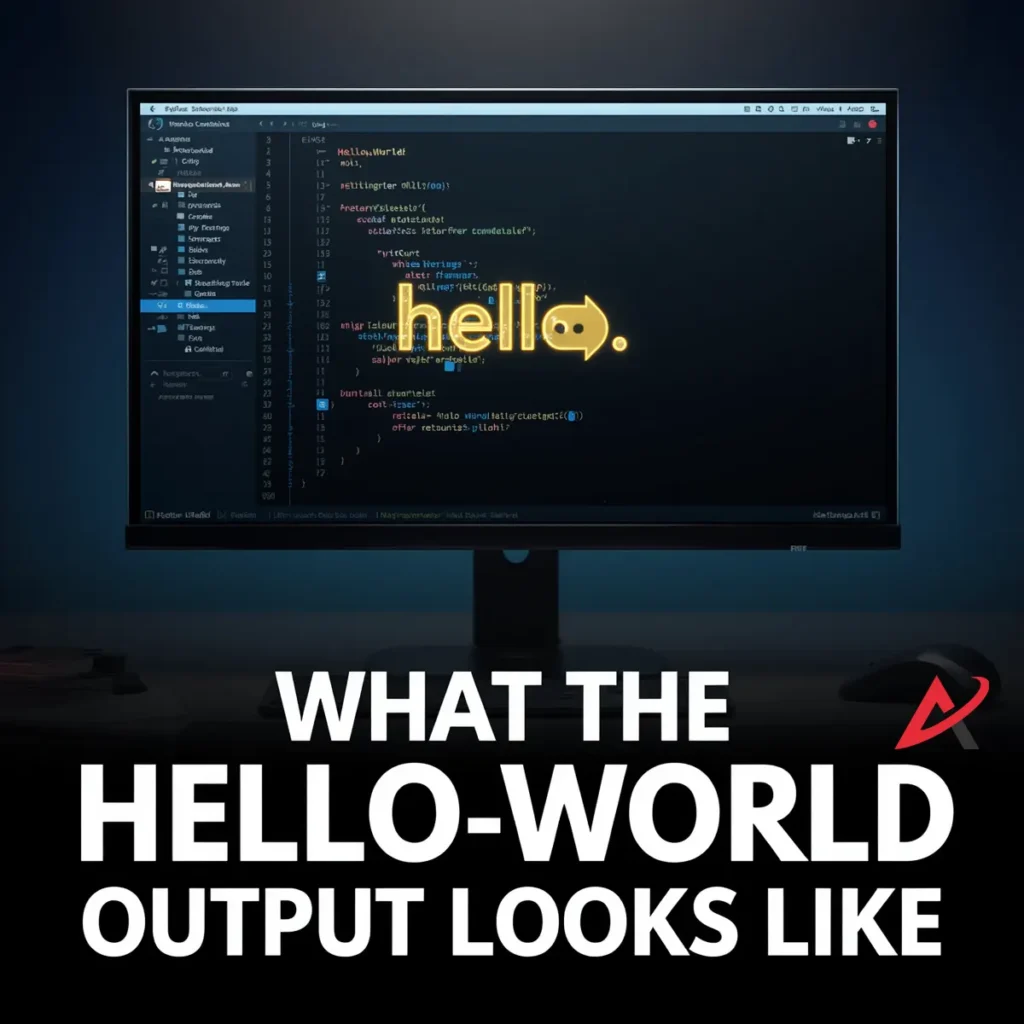
When you write code, there is a stark difference between the source code (what you type) and the program output (what the user sees). The output of a Hello World program is completely clean. It is unadorned, raw text displayed inside a terminal window, command prompt, or terminal console.
In understanding Python output, you realize that Python filters out the programmatic scaffolding. The quotation marks, the brackets, and the system commands vanish. The only thing left standing is the precise sequence of characters you requested. This reveals a fundamental rule of Python programming basics: what you put into the system as data is what the system yields to the user as an output stream.
How to Write Your First Python Hello World Program
Approaching your first coding project in Python requires zero technical background, only a systematic, step-by-step approach. Do not let the terminology intimidate you. We are going to treat this like setting up a new appliance. We will install the language, open a clean document workspace, and write out our instructions.
This first Python program step-by-step workflow breaks down into three distinct phases:
- Setting up the system architecture (Python setup guide).
- Generating a raw text file to hold our instructions.
- Writing the correct commands using Python syntax basics.
Before you can type a single line of text, your computer needs to learn how to understand Python. Let’s install the translation system.
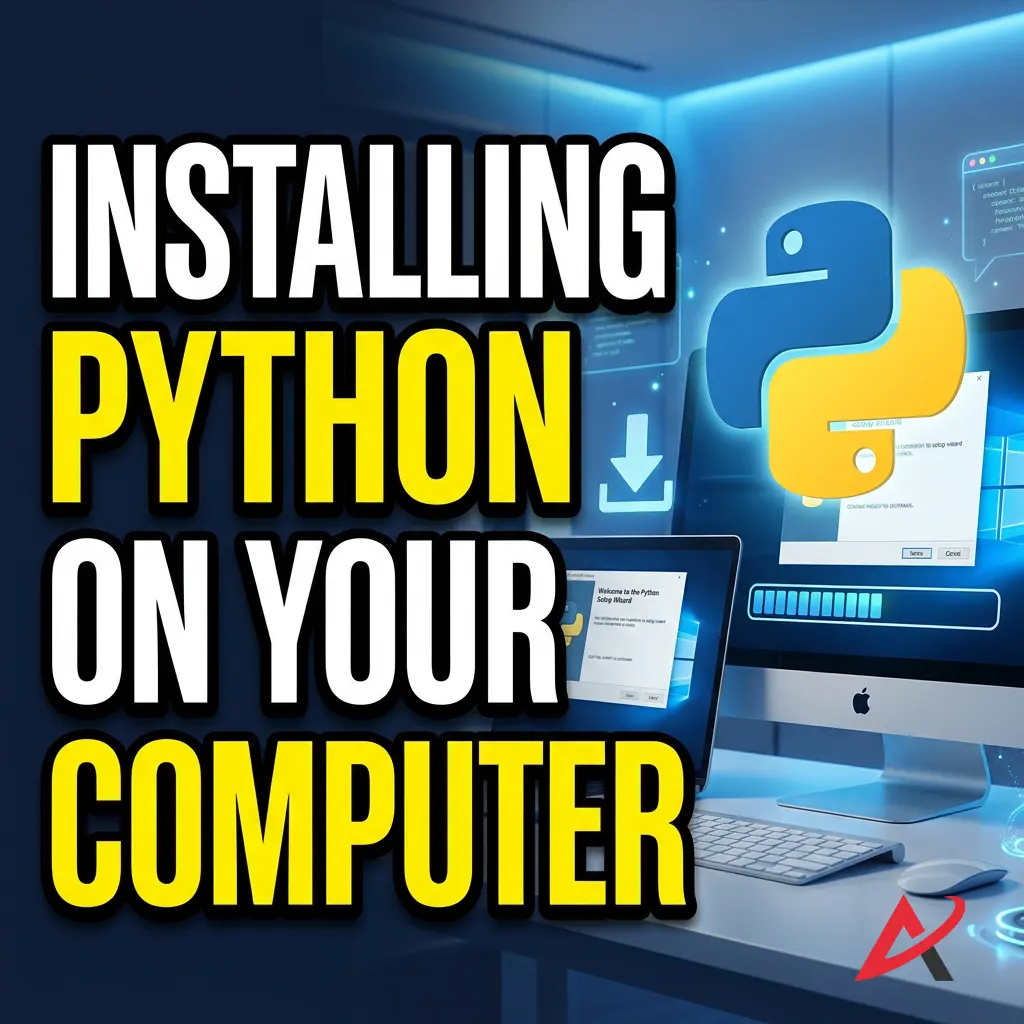
Installing Python on Your Computer
By default, your computer doesn’t natively speak Python; it speaks machine code (ones and zeros). To bridge this gap, you need to download a translator called an interpreter. This brings us to our core Python installation guide.
First, open your web browser and navigate to the official download page at Python.org Downloads. The website will automatically detect whether you are running Windows, macOS, or Linux and offer you the latest stable release. Download the installer package.
When running the installer on Windows, you will see a small checkbox at the bottom of the window that says Add Python to PATH. You MUST check this box. Missing this step is the number one reason beginners run into errors, as it tells your computer’s terminal exactly where the Python application is hiding. Once checked, click “Install Now” and let the process finish.
To verify that the installation went smoothly, open your system’s Command Prompt (Windows) or Terminal (Mac). Type the following command and hit Enter:

If the system responds with a version number (such as Python 3.12.x or similar), your Python installation is a success. Your machine is now ready to read Python scripts.
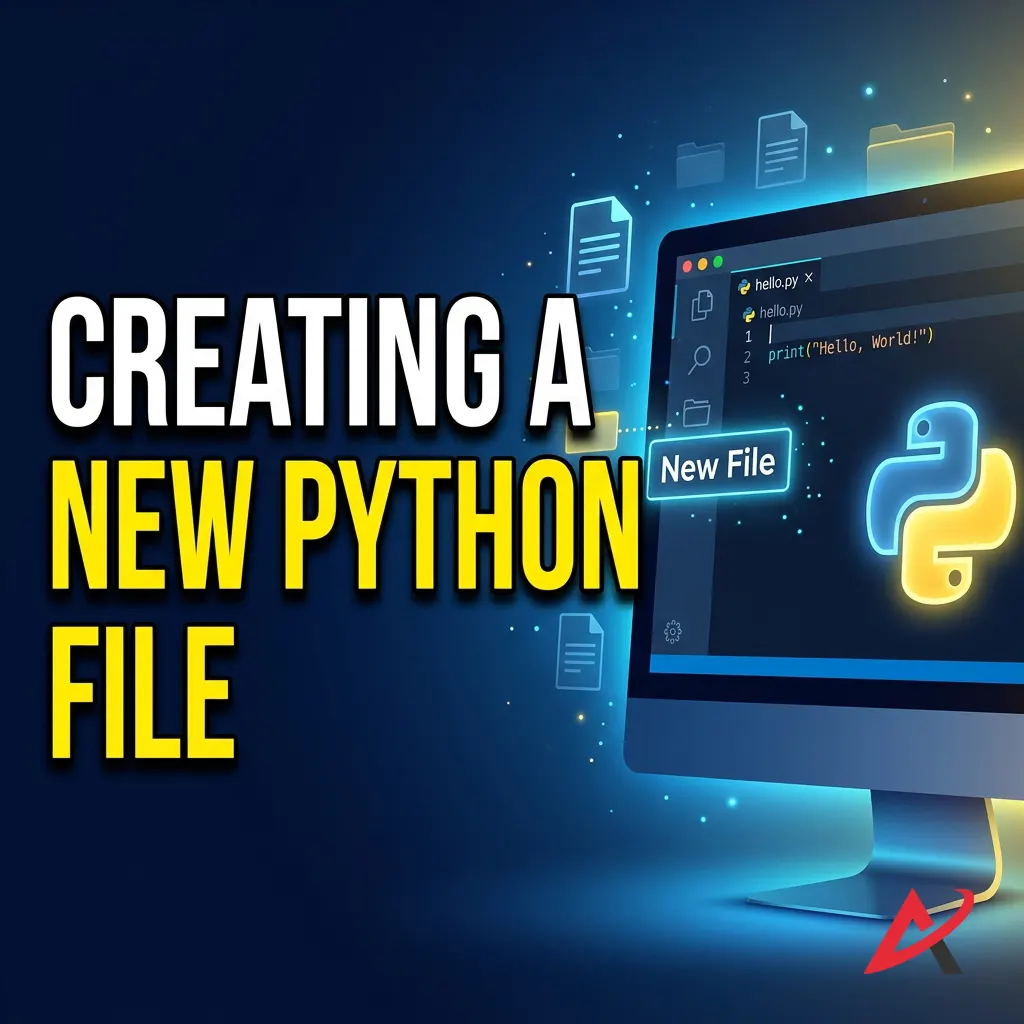
Creating a New Python File
With the engine installed, you need a place to write your text. While you can technically use basic programs like Notepad, professional developers use specialized environments called an IDE (Integrated Development Environment) or a code editor. For this guide, we recommend Visual Studio Code (VS Code), which is a free, incredibly popular industry-standard tool available at the official Visual Studio Code Website.
Open your editor and create a brand new file. Immediately save this file to a location you can easily find, like a dedicated folder on your Desktop named PythonProjects. When naming your file, call it hello.py.
The .py file extension is critically important. It serves as a beacon to your operating system and code editor, signaling that this isn’t an ordinary grocery list or essay; it is a live first Python script that needs to be treated as executable code.
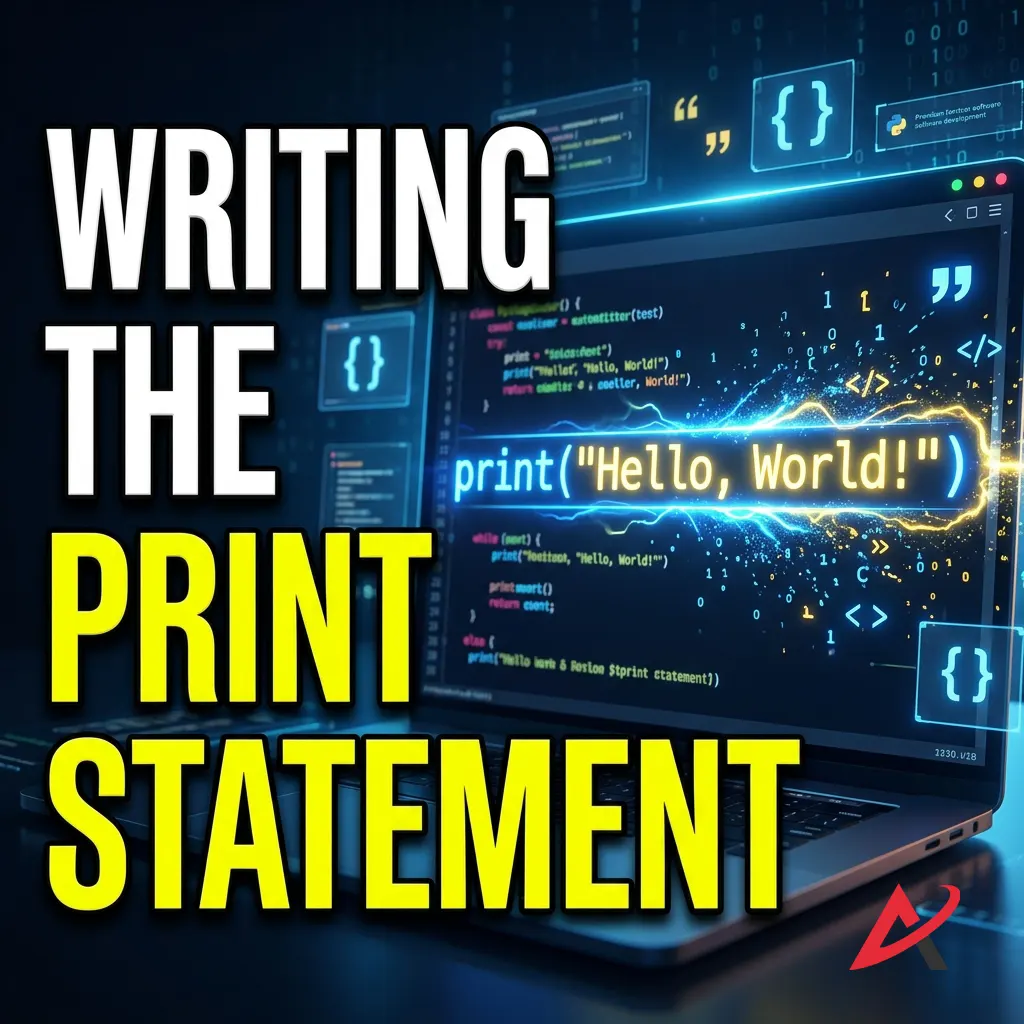
Writing the Print Statement
Now, look at your blank document. We are going to write a single line of text. Type the following exactly as it appears:

Pay close attention to the formatting. Ensure the word print is entirely lowercase. Do not add spaces between the word print and the opening parenthesis. Ensure your text is wrapped neatly in straight quotation marks. In writing Python code, precision is your highest virtue. Python is fiercely case-sensitive; a capital P or an omitted bracket will cause the entire script to crash before it even starts.
Python Hello World Program Example
Let’s isolate our code so we can analyze it clearly. Seeing a clean Python hello world code example with output allows your brain to build a mental blueprint of how computer instructions are structured.
Here is the complete layout of your program:
Complete Hello World Code
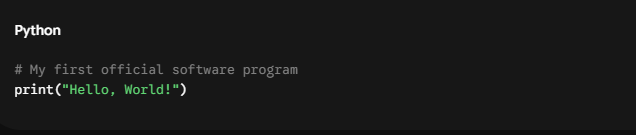
If you execute this code correctly, your system will instantly return the following output in your console window:

This clean separation shows how to create a hello world program in Python without cluttering your system screen with backend instructions.
Understanding the print() Function
Let’s take this line apart piece by piece. Understanding what the print function in Python is is the gateway to mastering all future commands in the Python programming language. You can read more about it in the official Python Built-in Functions Documentation.
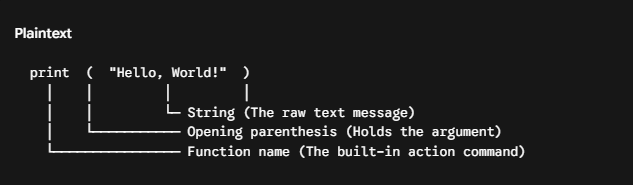
- Function Name (
print): In Python, this is a built-in function. Think of a function like a specialized tool or a preset button on your microwave. You do not need to know how the wiring works inside the microwave; you just push the button, and it performs a pre-programmed task. The print function’s sole job is to take whatever data you give it and push it out to your system terminal. - Parentheses
()These act as containers. In programming terminology, we use these brackets to pass arguments or inputs into our functions. They tell the function, Here is the material I want you to work with. - The String (
Hello, World!): The text inside these quotes is called a string. In Python syntax, a string is simply a sequence of characters chained together. The quotation marks are vital boundaries. They tell the Python interpreter: Treat everything inside these lines as literal text. Do not try to read this as a hidden programming command; just pass it through exactly as it is written. This combination forms the fundamental backbone of Python programming fundamentals.
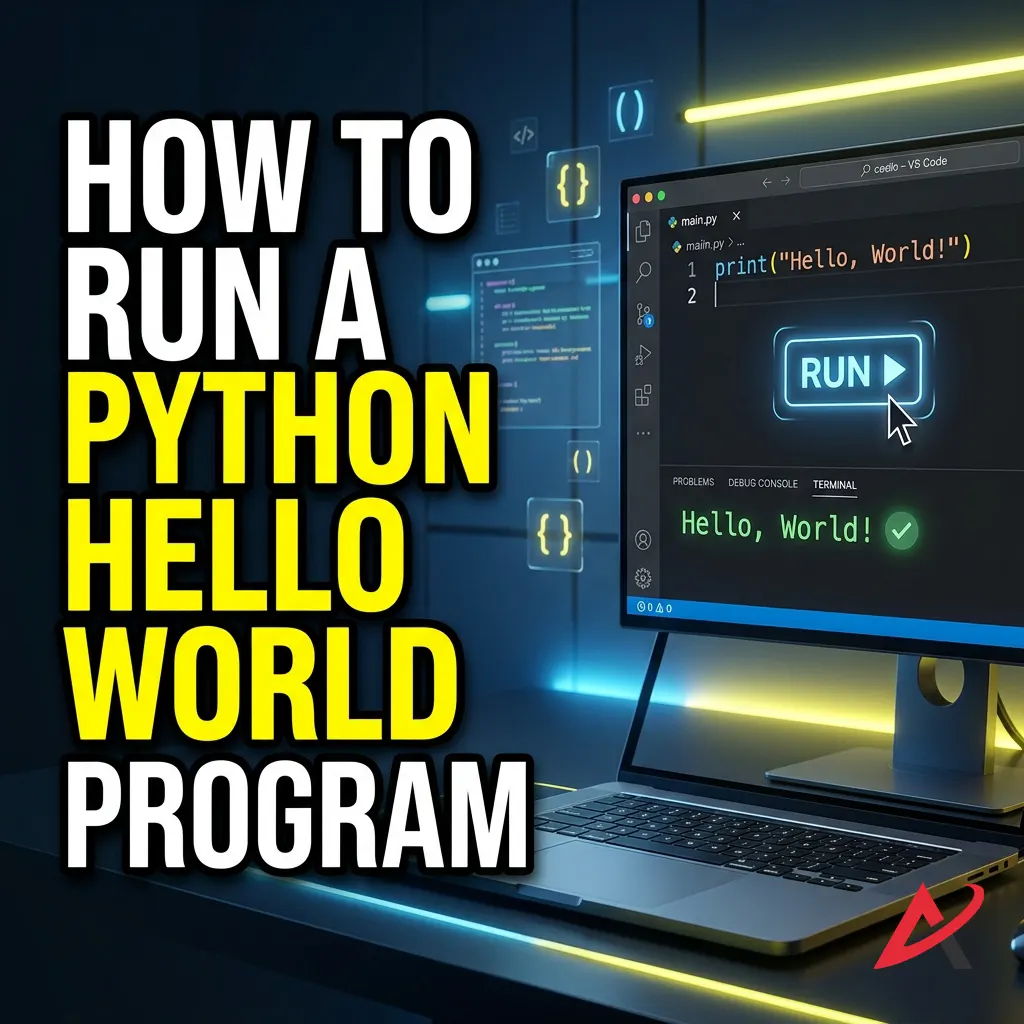
How to Run a Python Hello World Program
Writing your script is only half the battle. Now you need to learn how to run a Python script. Depending on your workspace, you can execute your file using multiple methods. Let’s explore the three most common approaches so you can pick the one that fits your style.
1. Running the Program in Command Prompt / Terminal
This is the traditional, raw method of executing software, and it is a vital skill for anyone learning how to execute Python code.
- Open your Command Prompt (Windows) or Terminal (macOS).
- You need to point your terminal to the folder where your file lives. Use the
cd(change directory) Command followed by the folder path. For example:
cd Desktop/PythonProjects

- Press Enter. The interpreter will instantly process your Python print statement, read the file from top to bottom, and display
Hello, World!in the window, and gracefully shut down.
2. Running the Program in VS Code
If you prefer a more streamlined workflow without constantly switching windows, running a Python hello world program in VS Code is the modern developer’s preference.
Visual Studio Code features an integrated terminal built directly into the lower panel of the editor. This means you can view your source code and your live terminal output at the same time. To learn how to fully optimize this setup, check out the VS Code Python Tutorial Guide.
To run your code here, simply look at the top-right corner of your VS Code window. You will see a small, triangular Play icon. Clicking this icon causes VS Code to automatically open a terminal session, navigate to your file location, and run the Python command for you in a fraction of a second. This makes it an invaluable feature during a Python coding tutorial because it eliminates repetitive typing.
3. Running the Program in an Online Python Compiler
What if you are sitting at a work computer where you aren’t allowed to install software, or you just want to experiment without modifying your system settings? You can use an online cloud-based environment.
Websites like Replit or PythonOnline offer cloud-based sandboxes. They provide a web-based text editor on the left side of your screen and a simulated terminal on the right side. You can simply paste your print(Hello, World!) statement into the browser panel and hit a big Run button. The code executes on their remote servers and beams the output back to your screen. While a local installation is mandatory for large-scale real-world projects, these online tools are exceptional zero-installation setups for quick, beginner-friendly Python examples.
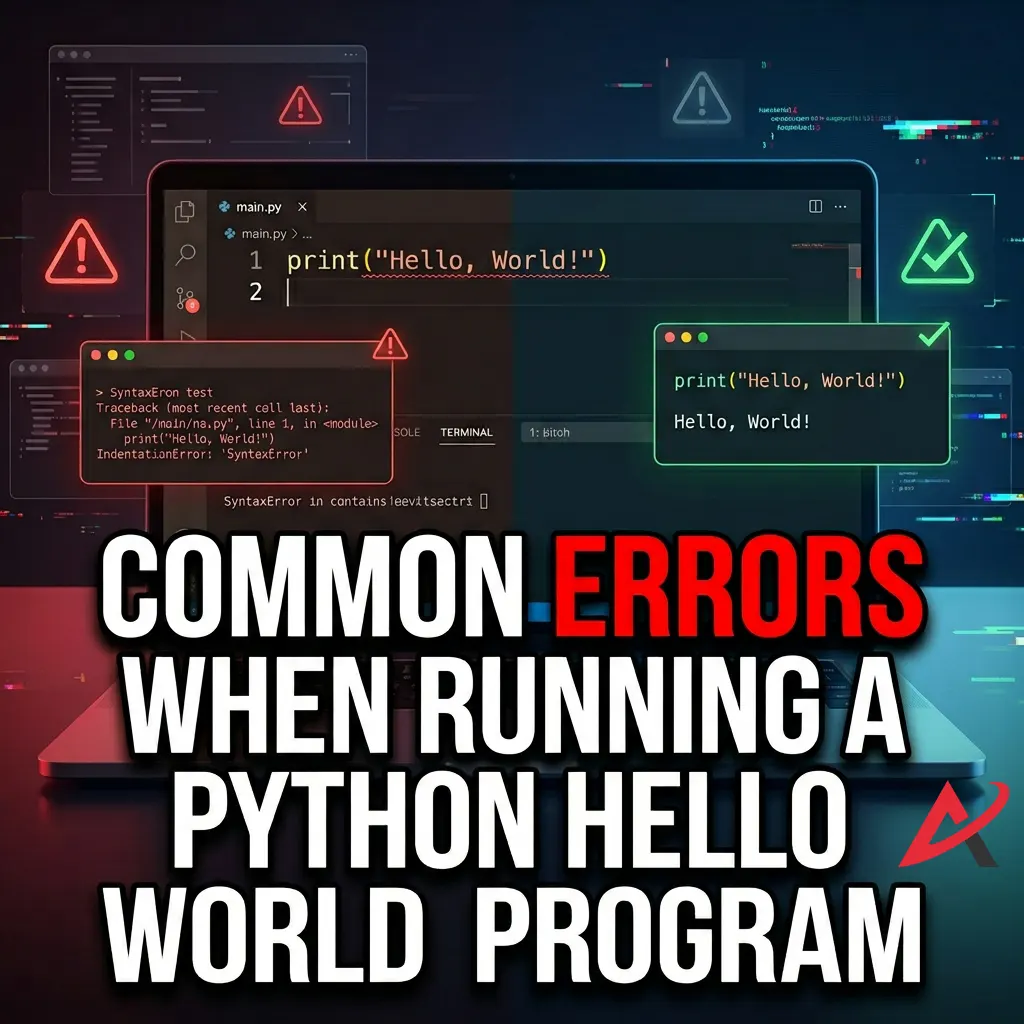
Common Errors When Running a Python Hello World Program
If your code didn’t run on the first try, do not panic. In fact, expect to hit hurdles. Professional developers spend up to half of their working hours debugging Python code. An error is not a sign that you are a bad programmer; it is simply a standard status report from a system that needs a minor correction.
Let’s look at the two most frequent walls beginners hit when executing their first program.
Fixing Syntax Errors
A SyntaxError means you wrote something that violates the grammar rules of the Python language. Computers are completely literal; they cannot guess your intent if you misplace a symbol.
| The Error Code | The Common Cause | How to Fix It |
SyntaxError: invalid syntax | Writing Print(Hello) with a capital “P”. | Change it to a lowercase print(). |
SyntaxError: EOL while scanning string literal | Opening a quotation mark but forgetting to close it. | Ensure your text has matching quotes on both sides: "Hello". |
SyntaxError: unexpected EOF while parsing | Forgetting the closing parenthesis ). | Always check that every opening bracket has a closing partner. |
If you encounter any of these, look closely at the error message in your terminal. Python will typically print a small arrow (^) pointing directly to the exact character where it got confused.
Resolving Python Installation Issues
The second type of headache occurs when your terminal displays a message like:


This error signals that your operating system has no idea what the word Python means. Nine times out of ten, this means the user missed checking the “Add Python to PATH” checkbox during the Python installation phase.
To fix this on Windows, you don’t need to manually hunt through system menus. Simply re-run the Python installer executable file you downloaded earlier from the Official Python Website, click the “Modify” button, ensure the “Add Python to PATH” box is checked, and let the installer repair the setup. If you are on a Mac and face issues, ensure you are typing python3 hello.py instead of just python, as modern macOS systems require the explicit version number to run correctly.
What You Learn from the Python Hello World Program
While printing a single phrase onto a screen seems minor, this micro-exercise introduces deep structural concepts that apply to professional enterprise-level applications. You are absorbing the core mechanics of software engineering without realizing it.
Understanding Basic Python Syntax
First, you are learning that Python values cleanliness. Many older computer languages like Java or C++ require you to write up to five or six lines of structural boilerplate code, defining classes, system permissions, and entry points, just to display text. Python does away with this noise, embracing a design philosophy that favors minimalist, readable code.
You are also learning that the structure of your code matters. The placement of brackets, the casing of words, and the use of strings form the structural bedrock of Python syntax basics. Master this attention to detail now, and you will prevent thousands of bugs down the road.
Learning How Program Output Works
Second, you are getting your first taste of data streams. In computer science, data flows like water through pipes. Your print statement introduces you to the concepts of standard output (stdout). You are taking a data asset residing inside your script file and routing it safely into the user interface layer.
This sets the stage for advanced Python tutorials for beginners. Once you understand how to push data out to a user, you can easily pivot to learning how to pull information in from a user using commands like the input() function, transforming static code into an interactive app.
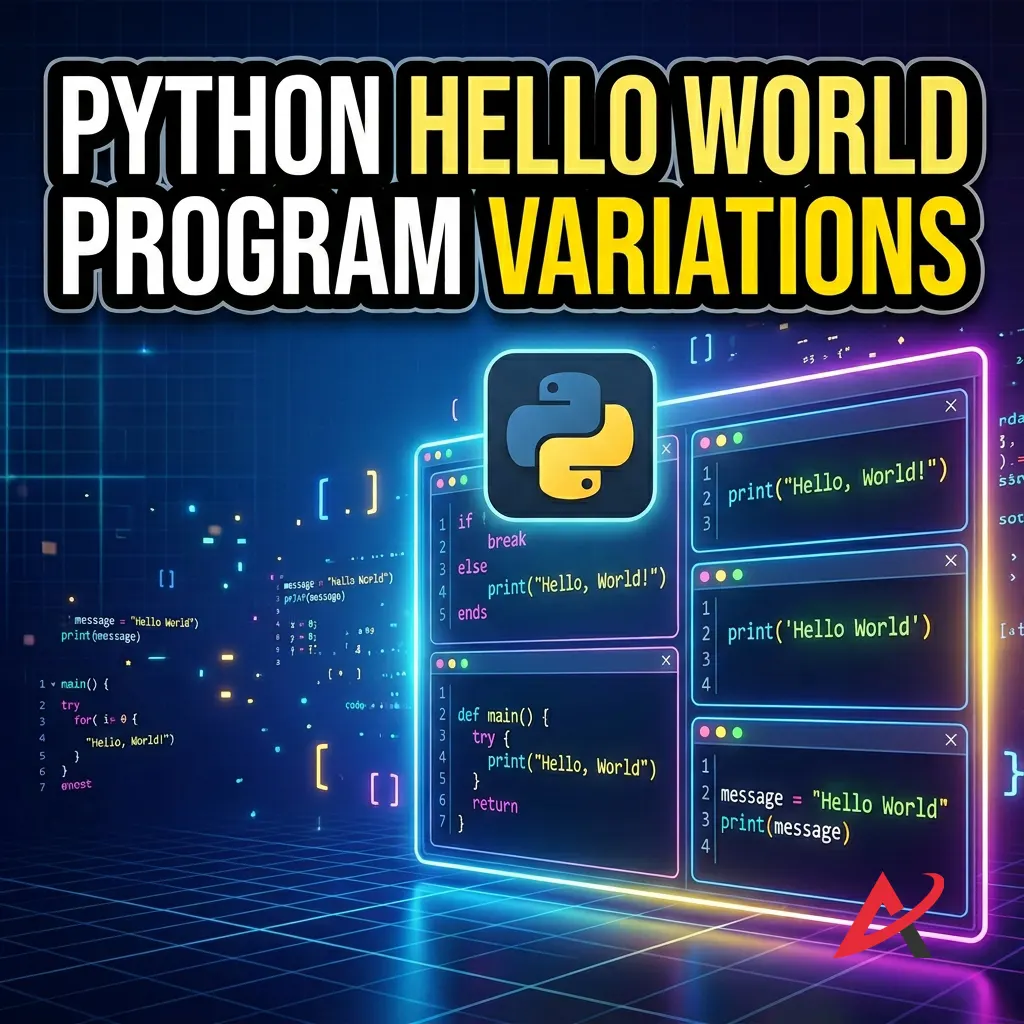
Python Hello World Program Variations
Now that you have conquered the baseline script, let’s stretch your muscles slightly. Let’s look at how versatile a print script can be by trying two simple variations.
Printing Multiple Lines of Text
If you want to print a longer message, you can write multiple print functions in sequence. Python reads your file chronologically, executing commands from top to bottom.
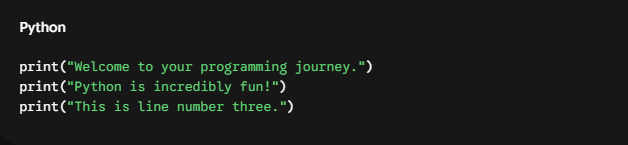
When run, this script outputs three clean, distinct rows of text.
Alternatively, if you want to write a Python print hello world in one line but have it split across multiple rows visually, you can use a special shortcut called an escape character: \n.

The interpreter treats \n as an invisible command to hit the Enter key, instantly snapping the subsequent text down to a brand-new line.
Using Variables with the Hello World Program
Let’s introduce one of the most powerful concepts in all of software engineering: variables in Python. A variable is simply a named storage container inside your computer’s RAM. Think of it like a cardboard moving box; you slap a clear label on the outside of the box, and you place an object inside it.
Let’s modify our script to use a variable:
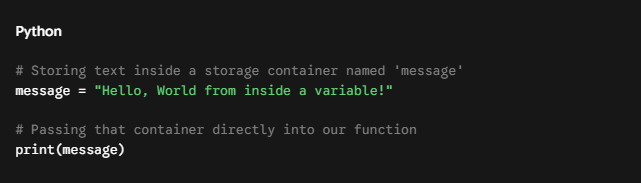
Notice that when we pass our variable message print() function, we do not use quotation marks. If we wrote print (message), the system would literally print the word message. By omitting the quotes, we tell Python: Look inside your memory, find the box labeled message, and print the dynamic data hidden inside it. This introduces you to fundamental data types in Python and opens the door to creating real Python projects for beginners.
Transitioning from Beginner to Pro: Best Structured Training Options
Once you have successfully executed your first script, you will likely hit a fork in the road. Many self-taught individuals fall straight into a trap known as tutorial hell, a loop where you watch endless YouTube videos but never actually learn how to build unique programs independently. To truly master the language, transitioning into a structured learning environment makes a massive difference.
Choosing the right path depends entirely on your budget, learning style, and career aspirations. Here is how the most common options stack up against each other:
1. Immersive Career Bootcamps vs. Live Mentorship
If your goal is to change careers and land a high-paying job in software engineering or data science, look into an intensive Python coding bootcamp or a dedicated Python mentorship program. These immersive environments offer structured accountability, code reviews by senior professionals, and portfolio construction. While these require a larger financial investment, the access to Python developer training pipelines and direct career placement services can shave years off your learning curve.
2. Comprehensive Online Courses vs. Self-Paced Learning
If you prefer a flexible schedule around a full-time job, look for a premium online Python programming course or a trusted Python learning platform. Platforms like Coursera, Udemy, and edX provide comprehensive beginner Python classes that walk you through advanced concepts like operators in Python, conditional statements in Python, loops in Python, and functions in Python.
When shopping around, look for a Python tutorial with a certificate program. Having a verifiable credential to show your employer or display on LinkedIn can validate your skills. However, if you are strictly testing the waters before spending money, start with a high-quality free Python course for beginners or pick up a well-reviewed buy python programming book to practice your fundamentals on a budget.
Frequently Asked Questions About the Python Hello World Program
Why Is It Called Hello World?
The phrase originated with Brian Kernighan’s 1978 book, The C Programming Language. When asked why he chose those specific words, Kernighan mentioned he had seen a cartoon featuring a chick hatching from an egg saying Hello, World, and it struck him as a friendly, minimalist greeting for a brand-new application entering the digital realm.
Can I Run Python Without Installing It?
Absolutely. You can leverage cloud-based platforms like Google Colab or Replit. These platforms let you write simple Python program examples, play with comments in Python, and test core logic directly within any web browser without downloading a single megabyte to your computer.
What Should I Learn After Hello World?
Once your print function works seamlessly, follow this natural progression route:
- Learn how to use comments in Python to leave notes inside your code.
- Master variables in Python and basic mathematical operations.
- Dive into conditional statements in Python (if/else logic), so your program can make decisions.
- Study loops in Python to automate repetitive, boring manual tasks.
- Explore structural object-oriented programming in Python once you feel entirely ready to build larger, more modular applications.
Quick Summary / Key Takeaways
- System Diagnostics: The Hello World program is a cross-industry standard used to verify that your interpreter and code environment are fully functional.
- Syntax Precision: Python syntax is intentionally clean and readable, but highly case-sensitive. A single capital letter or missing bracket will halt your script.
- Flexible Execution: You can run Python code using your native system terminal, a streamlined Python IDE like VS Code, or browser-based tools.
- Debugging Mindset: Error messages are completely normal. Use them as maps to trace missing quotes, parentheses, or path settings.
- Core Concepts: This basic exercise lays down the technical foundation for understanding variables, strings, standard data streams, and built-in functions.

Conclusion
Take a deep breath and look at what you just accomplished. You successfully installed a powerful modern development language, configured a code environment, navigated your system’s command line, and commanded your computer to process a script. You have officially written your first software program.
The transition from a non-coder to a developer doesn’t happen when you memorize a whole textbook; it happens in small steps like this one. Now that you know how to talk to your computer, keep that momentum alive. Open up your hello.py File and try changing the text inside the quotation marks to display your own name, or create a script that prints a personalized greeting for a friend.
The absolute best way to learn to code is to build things, break them, and figure out how to put them back together. Your programming journey has officially begun. Happy coding!
Related Blogs
Python Variables and Data Types: A Beginner’s Guide with Examples.
How to Install Python on Windows, Mac, and Mobile – Step-by-Step Guide
What Is Python for Beginners? A Complete Guide for Absolute Beginners Who Never Coded Before