Now Reading: Python Operators: Arithmetic, Comparison, Logical Operators with Examples
- 01
Python Operators: Arithmetic, Comparison, Logical Operators with Examples

Written by Hamza Sanaulla
Python Operators: Arithmetic, Comparison, Logical Operators with Examples. Imagine you are building a digital vault. You have the secure data (the assets inside), and you have the locking mechanism (the logic that dictates who gets in). In the world of coding, your assets are data types, and the logic that manipulates them is driven entirely by operators. Without these structural hinges, your code would just be a static pile of values sitting silently in your computer’s memory.
Whether you are writing a simple script to balance a budget or engineering a complex algorithm for machine learning, understanding what operators in Python are is your passport to true programming fluency. In this comprehensive Python beginner guide, we will break down the essential pillars of Python syntax operators: arithmetic, comparison, and logical, showing you exactly how to wield them with precision and confidence.
What Are Python Operators?
At its core, an operator is a specialized symbol that tells the Python interpreter to perform a specific mathematical, relational, or logical manipulation. If you think of variables in Python as the nouns of your programming language, operators are the verbs. They are the action words that make things happen.
Whenever you write code, you work with Python expressions. An expression is simply a combination of values, variables, and operators that Python evaluates to produce a new value. Within these expressions, the values that the operator acts upon are formally known as operands.
Consider this straightforward line of code:

In this snippet, the plus sign (+) is the operator acting as addition. The numbers 100 and 15 are the operands being acted upon. Furthermore, the equal sign (=) acts as an assignment operator, taking the final evaluated result (115) and storing it securely inside the variable named total_cost. Without these symbols, data remains isolated; with them, data becomes functional logic.
Why Operators Are Important in Python
Why should you care about mastering every nuance of Python programming operators? The answer lies in how software makes real-world decisions. Programs do not run on static data; they run on the constant evaluation of changing conditions.
Every time an app calculates your rideshare fare, verifies your password, or filters a product list by price, it relies completely on operators working behind the scenes. They bridge the gap between basic Python data types (like strings, integers, and floats) and dynamic Python statements that control the behavior of your application. If you want to build robust conditional statements in Python or control how many times a block of code executes using Python loops, you must understand how to construct precise expressions using these symbols.
Types of Python Operators
The Python language features a rich, diverse ecosystem of operators designed to handle different types of data manipulation. As you advance through your Python programming tutorial journey, you will encounter several distinct categories:
- Arithmetic Operators: Used to perform standard mathematical calculations.
- Comparison (Relational) Operators: Used to compare two values and assess their relationship.
- Logical (Boolean) Operators: Used to combine multiple conditional statements.
While this guide focuses deeply on these three core structural families, it is worth noting that Python also includes advanced tools like assignment operators in Python (e.g., +=, -=), bitwise operators in Python (for manipulating data at the raw binary level), identity operators in Python (is, is not), and membership operators in Python (in, not in). For a complete structural breakdown of every built-in symbol, you can review the Python Language Reference on Expressions. Mastering the core three provides the necessary groundwork to understand these advanced variations effortlessly later on.
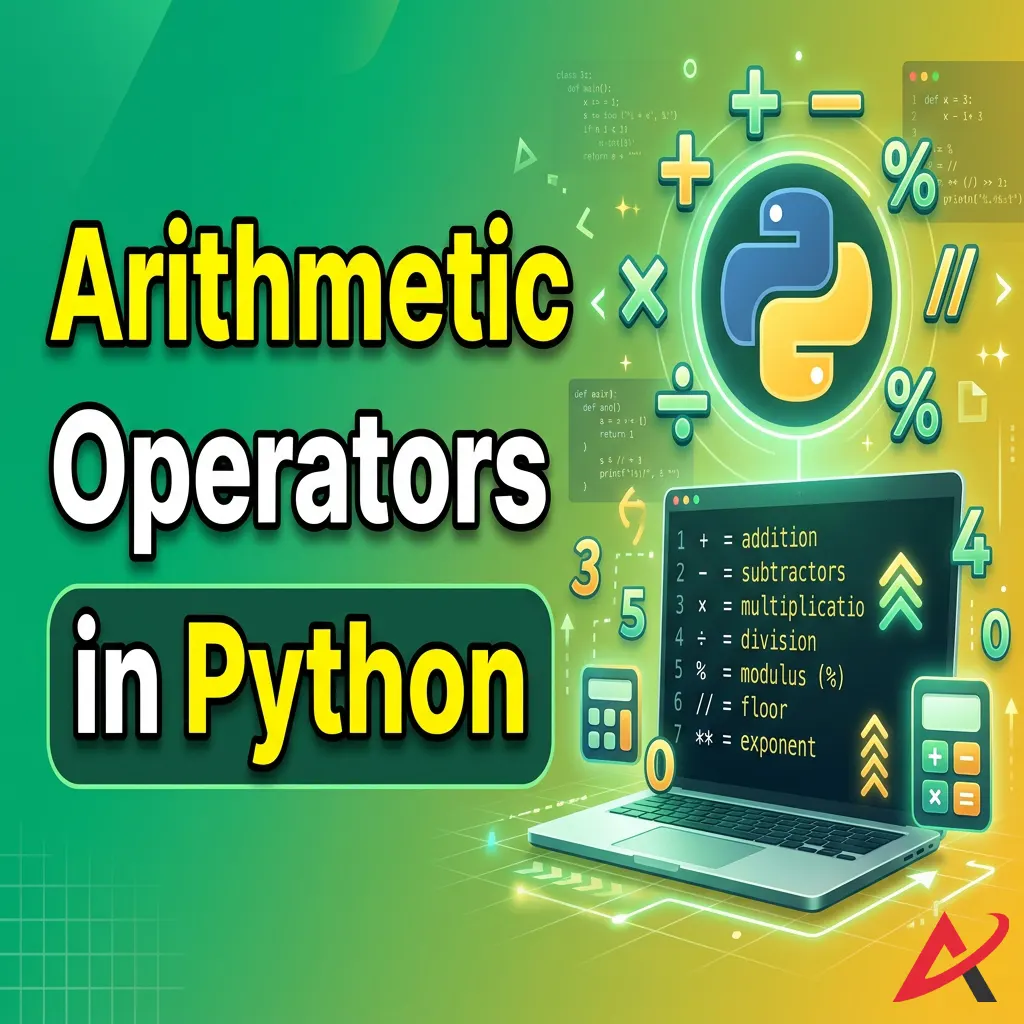
Arithmetic Operators in Python
When you need to compute values, arithmetic operators in Python serve as your digital calculator. They handle everything from basic bookkeeping additions to complex geometric algorithms. Let’s explore how these Python math operators function under the hood with explicit Python coding examples.
Addition Operator (+)
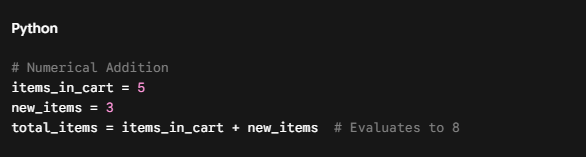
The addition operator sums two numerical operands. Interestingly, in Python, the + symbol is polymorphic, meaning it changes behavior based on data types. When applied to numbers, it adds them. When applied to text strings, it concatenates them together.
Subtraction Operator (-)
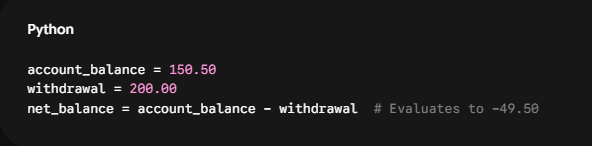
The subtraction operator deducts the right operand from the left operand. It can seamlessly handle integers and floating-point decimals, automatically outputting negative results if the right operand is larger.
Multiplication Operator (*)
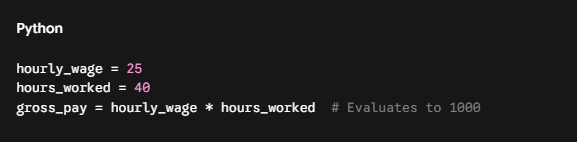
The multiplication operator finds the product of two numbers. In programming, an asterisk * is universally used instead of the traditional “×” symbol.
Division Operator (/)
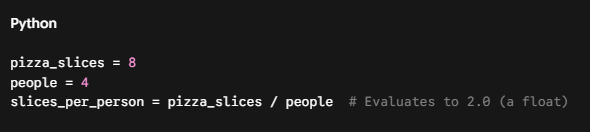
Standard division in Python carries a unique structural quirk that every beginner must memorize. Standard division (/) always returns a floating-point decimal number, even if the operands divide perfectly into a whole number.
Floor Division Operator (//)
If you need a division operation to yield a whole integer rather than a decimal, you use the floor division operator (//). This operator divides the numbers and then slices off the decimal entirely, rounding down to the nearest whole integer.

Modulus Operator (%)
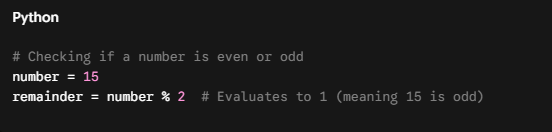
The modulus operator is the hidden gem of Python syntax. Instead of returning the quotient of a division, it returns the remainder left over after floor division is complete. If you divide $10$ by $3$, $3$ goes into $10$ three times, leaving a remainder of $1$.
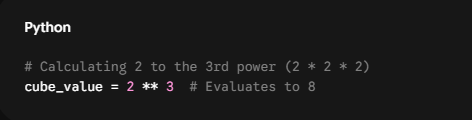
Exponent Operator ()
Instead of importing external math libraries or writing custom Python functions, Python allows you to calculate powers directly using the double asterisk () symbol. The first operand is the base, and the second is the power. For complex calculations requiring logarithmic or trigonometric values, developers lean on the Python standard library math module.
Comparison Operators in Python
How does a software program display different screens based on whether a user is logged in or out? It evaluates states using comparison operators in Python. Also referred to as relational operators in Python, these symbols act as judicial scales, analyzing two operands and instantly returning a definitive boolean value: either True or False.
Understanding how comparison operators work in Python is vital for structuring an if-else statement in Python, which dictates the direction your script takes when running.
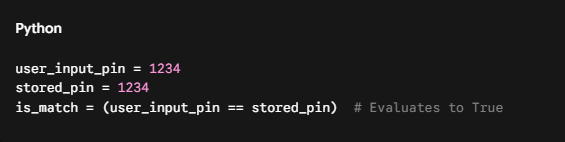
Equal To (==)
The double equal sign (==) checks if the values of two operands are identical. Beginners frequently make the mistake of using a single equal sign here, which causes a syntax crash because a single = is reserved exclusively for assigning values to variables.
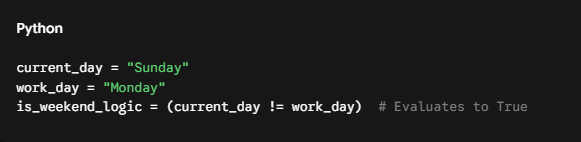
Not Equal To (!=)
The exclamation point paired with an equal sign (!=) checks for inequality. It returns True if the two operands do not match, making it highly effective for filtering out unwanted data points.
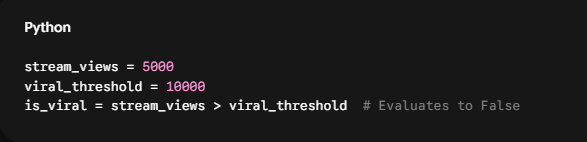
Greater Than (>) and Less Than (<)
These classic mathematical operators check for strict superiority or inferiority. They return True only if the left operand is strictly larger (or smaller) than the right operand.
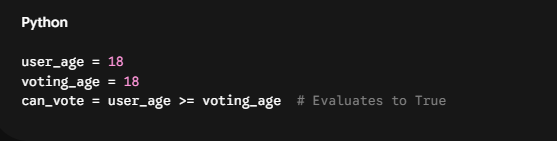
Greater Than or Equal To (>=) and Less Than or Equal To (<=)
These operators allow for inclusive boundary testing. They evaluate to True if the operand meets or exceeds the comparison limit, protecting your code from boundary errors.
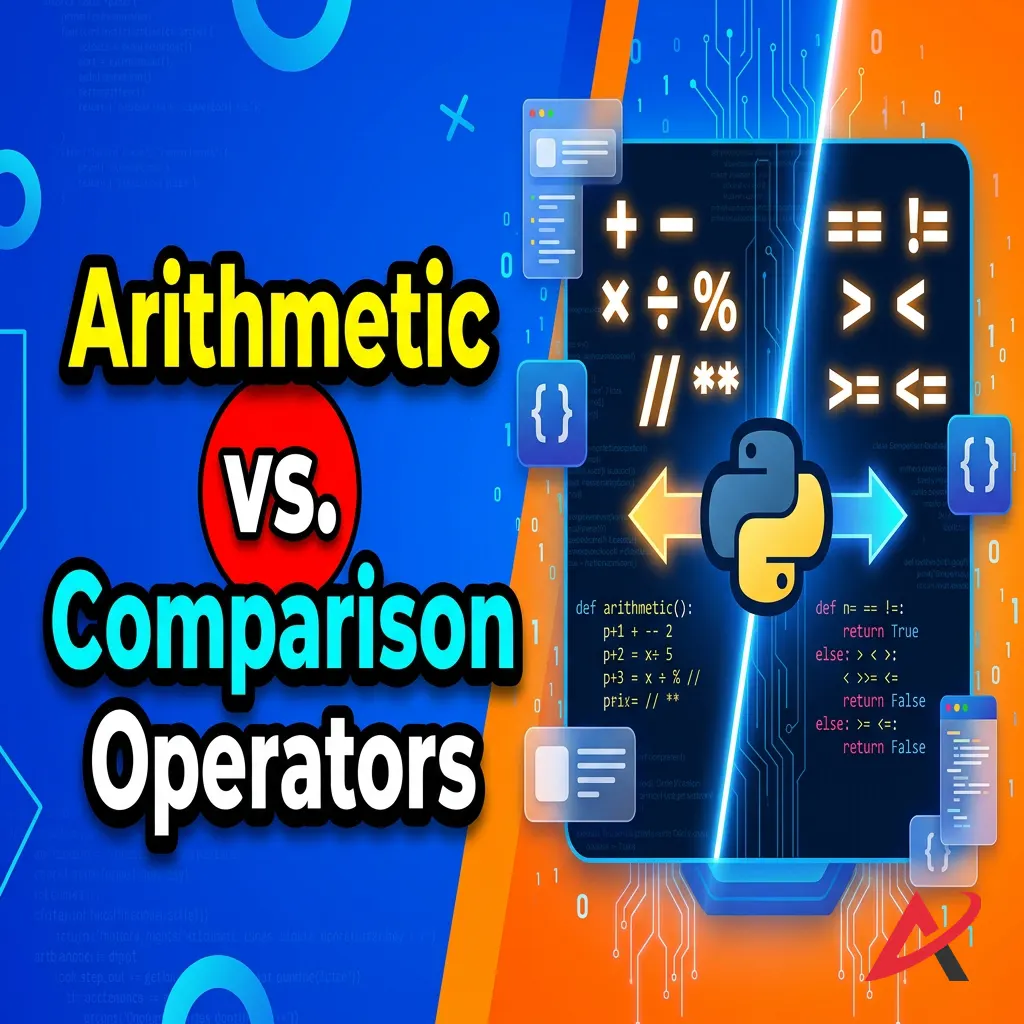
The Core Difference: Arithmetic vs. Comparison
To solidify your coding fundamentals, remember this immutable rule:
The Structural Divide: Arithmetic operators are transformative tools; they take numerical operands and calculate a completely new numerical value. Comparison operators are analytical tools; they observe two existing values and return a strict logic state (True or False).
Logical Operators in Python
Real-life scenarios are rarely black and white. Usually, automated decisions depend on a complex combination of requirements. For example, to secure a premium loan rate, a bank customer might need a high credit score and a low debt ratio. To represent these multi-layered rules in code, you must use logical operators in Python (often called Boolean operators in Python).
These operators evaluate multiple Python logical expressions simultaneously to determine an overarching logical outcome.
AND Operator (and)
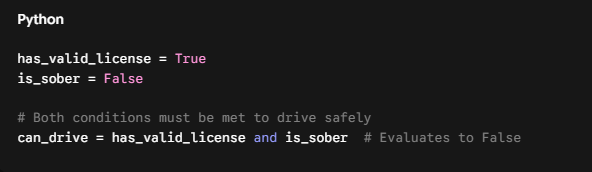
The and operator is exceptionally strict. It evaluates two conditions and returns True only if both individual conditions are completely true. If even one side evaluates to False, the entire expression collapses into a False state.
OR Operator (or)
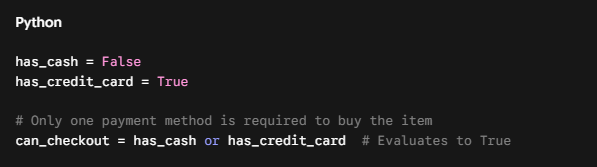
The or operator is highly permissive. It evaluates multiple conditions and returns True if at least one of the conditions is true. It will only yield a False outcome if every single sub-condition fails.
NOT Operator (not)
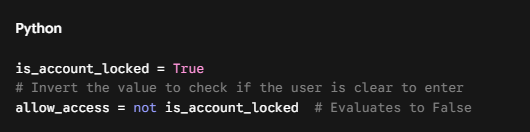
The not operator functions as a logical inversion switch. It takes whatever boolean state follows it and flips it completely upside down, turning True into False, and False into True.
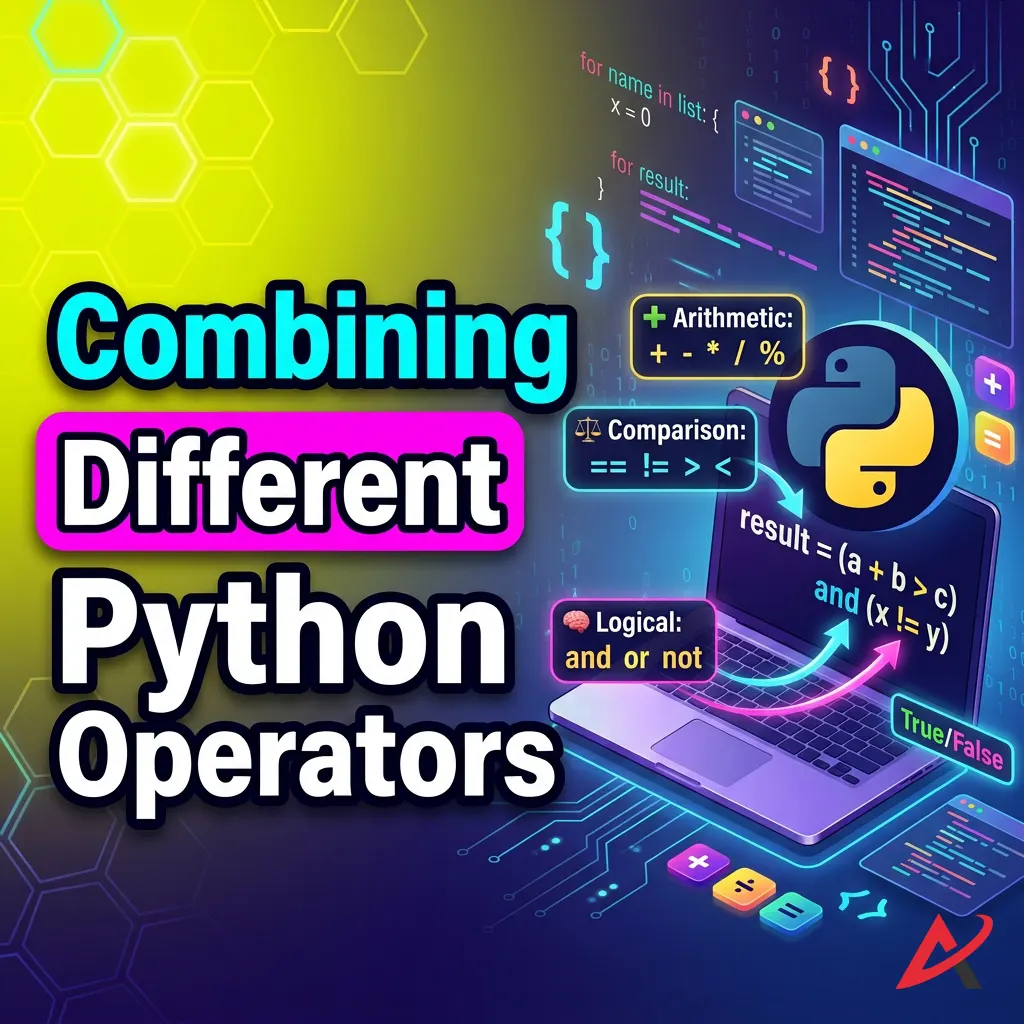
Combining Different Python Operators
As you build real-world programs, you will quickly find yourself writing dense, compound lines of code that feature multiple math symbols, comparison markers, and logical terms all grouped. To prevent bugs, you must understand exactly how Python prioritizes these operators.
Using Arithmetic and Comparison Together
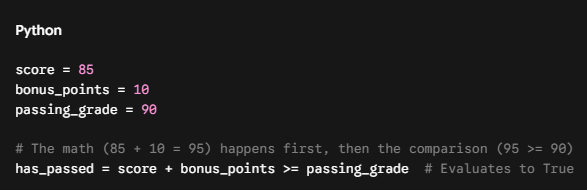
When you mix math and comparisons in a single line, Python naturally executes the arithmetic operations first before running the comparison. This allows you to perform dynamic math directly inside a test condition.
Using Logical Operators with Conditions
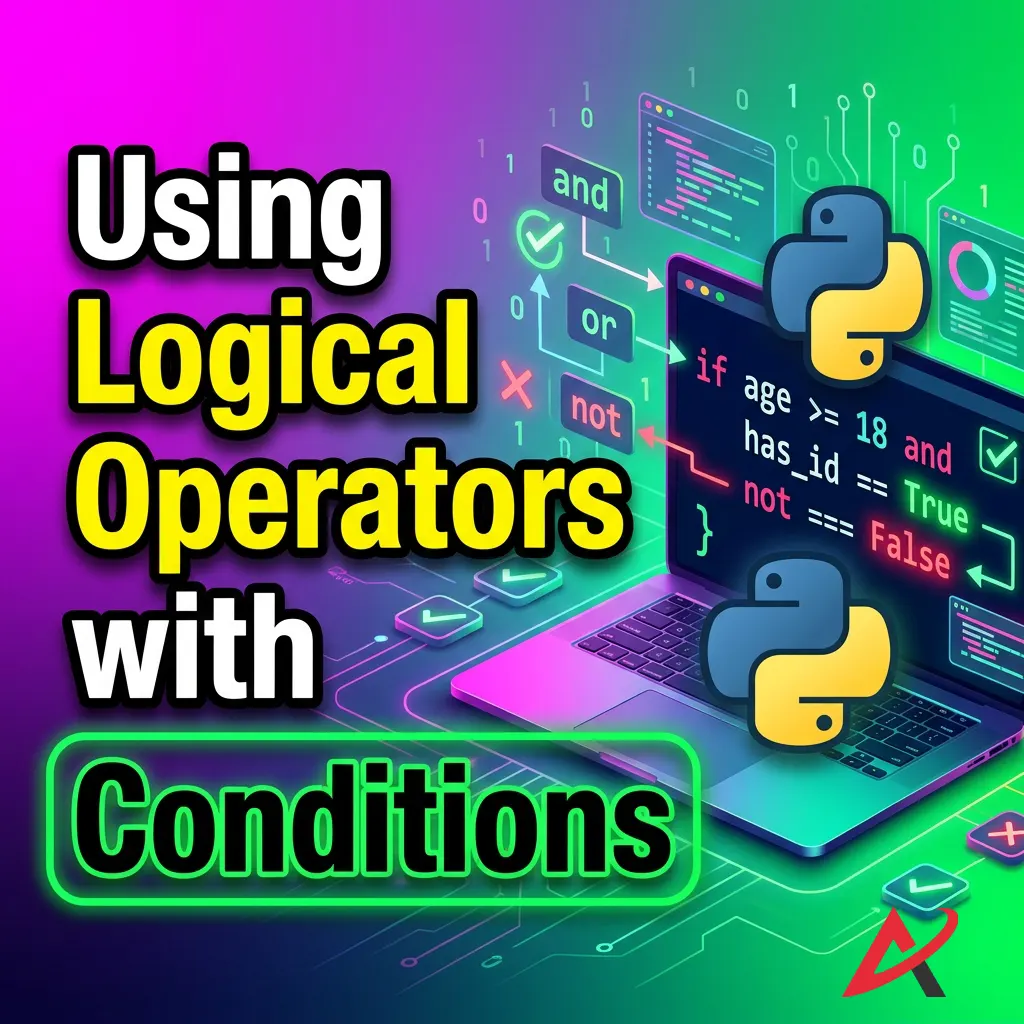
When chaining multiple conditions together using and, or, and not, Python follows a strict built-in execution hierarchy known as operator precedence in Python. If you don’t control this flow consciously, your program can produce subtle logic bugs that are incredibly difficult to track down.
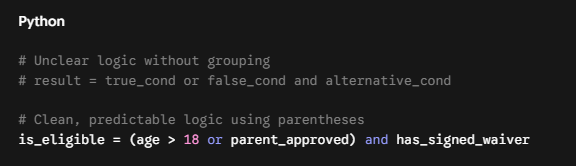
The absolute golden rule for resolving execution confusion is this: Always use parentheses () to explicitly group your logic. Parentheses command the highest priority in Python’s evaluation hierarchy, forcing the engine to run the code inside the brackets first. To see a complete hierarchy chart ranking every single symbol from top to bottom, check out the official Python Documentation on Operator Precedence.
Interactive Practice & Study Resources
Reading about code is an excellent start, but you cannot truly learn Python operators without getting your hands dirty and writing actual scripts. Below are practical Python operator exercises designed to convert passive knowledge into active development skills.
Ultimate Python Operator Practice Questions
Try typing these exercise scenarios into your local code editor or IDE to see how your logic holds up:
- The E-Commerce Tax Calculator: Write a script where you define a variable subtotal = 250. Use arithmetic operators to apply a $10\%$ discount, add a fixed shipping fee of 15, and calculate a $5\%$ sales tax on the final adjusted cost.
- The Age Gate Verification: Create a script containing two variables: user_age = 16 and has_parental_consent = True. Write a compound conditional statement that prints Access Granted if the user is $18$ or older, or if they are at least $13$ years old and possess parental consent.
- The Modulus Odd-Even Identifier: Write a short loop that evaluates a list of integers and prints whether each number is even or odd by utilizing the modulus (%) operator.
💡 Take Your Learning Further: If you want a handy reference sheet to keep by your desk while working through these coding challenges, you can download a full, comprehensive resource guide. For interactive coding sandboxes and additional learning metrics, websites like W3Schools’ Python Operators Tutorial provide great live-testing execution panels.
Common Mistakes When Using Python Operators
Even seasoned backend developers occasionally slip up when typing out long logical statements. By recognizing these three frequent pitfalls early on, you can save yourself hours of frustrating debugging down the line.
Confusing = and ==
This remains the number one mistake for developers learning Python operators for beginners.
- x = 5 means “Take the number 5 and store it inside x.”
- x == 5 means “Go look inside x and tell me if it equals 5.”
Using a single = inside a conditional statement like if x = 5: will throw an immediate error. Always look closely at your equality tests.
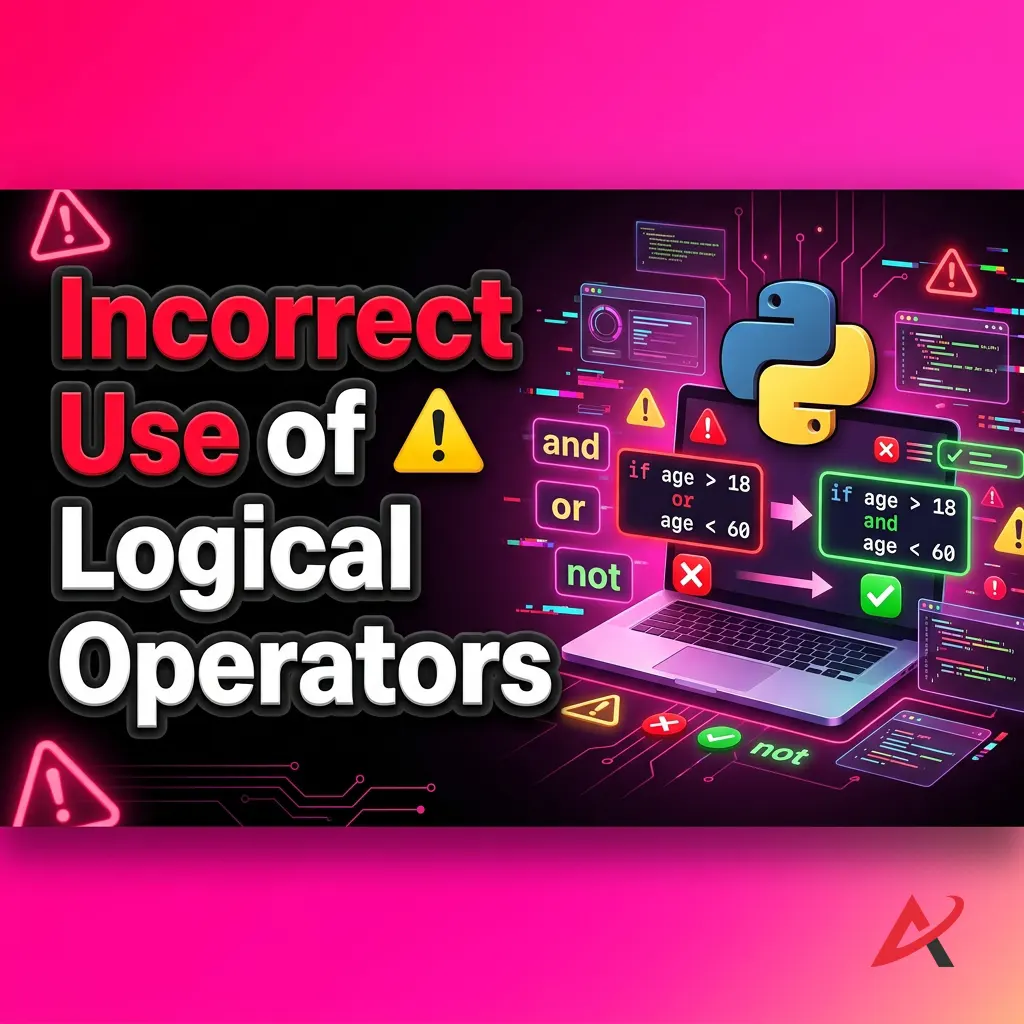
Incorrect Use of Logical Operators
In human language, we often say: “If the fruit is an apple or a banana, I’ll eat it.” Translating that directly into code looks like this:
Python
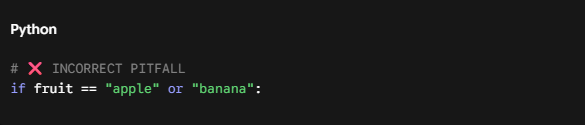
To the Python interpreter, this looks like two distinct statements separated by an or: (fruit == “apple”) or (“banana”). In Python, any non-empty string evaluates to True, meaning this condition will always be true, regardless of what the fruit variable holds! The correct syntax requires explicit declarations:

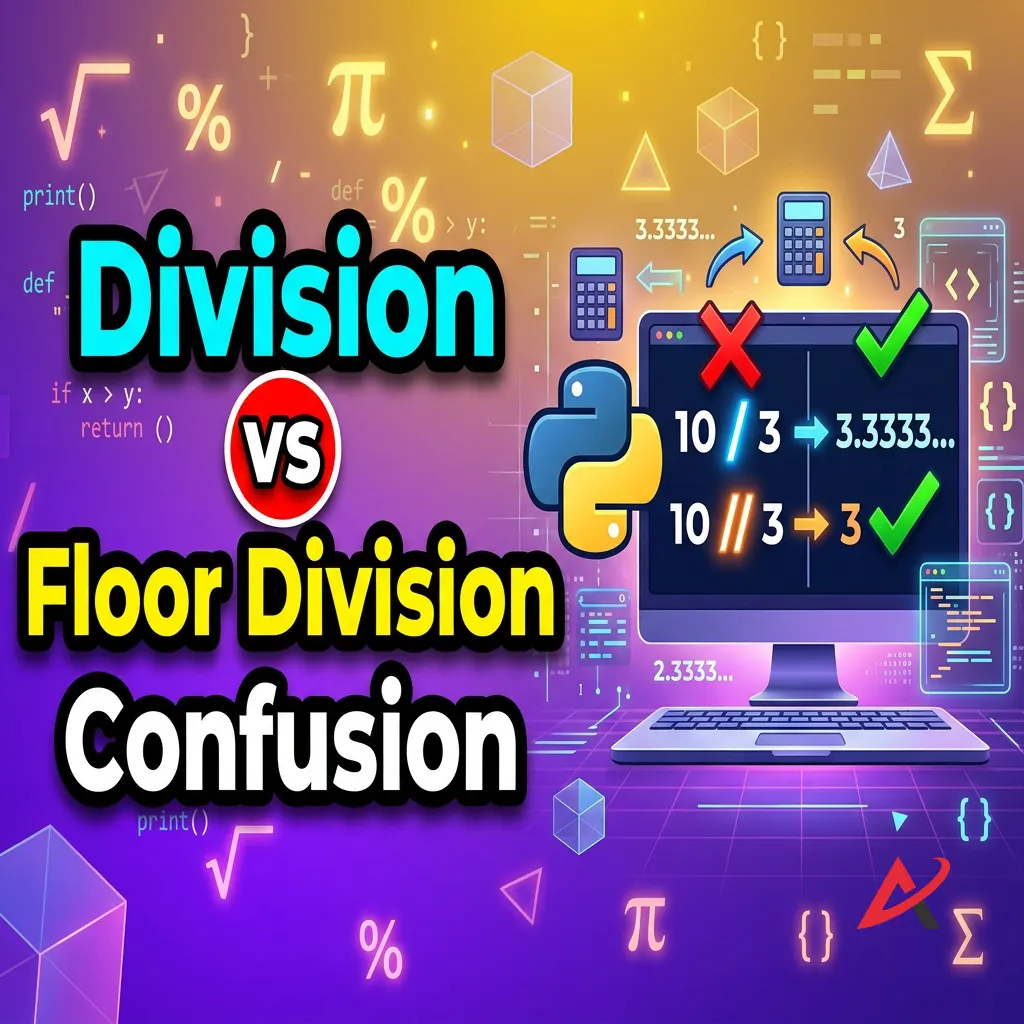
Division vs Floor Division Confusion
Forgetting that standard division (/) consistently returns a float can introduce hidden errors into your code. For instance, if you are working with data structures or array indexes, Python demands a strict integer. Trying to use a float as an index address will break your app. Ensure you leverage floor division (//) when your code requires whole integer outcomes.
Best Practices for Using Python Operators
Writing code that works is the bare minimum requirement; writing code that is clean, scannable, and maintainable is the hallmark of a true professional. Adhere to these three guidelines to keep your scripts pristine.
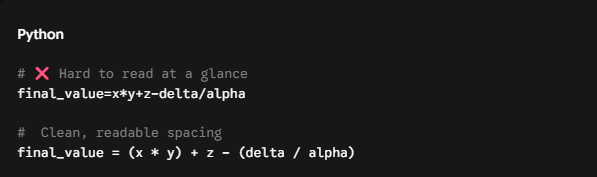
Write Readable Expressions
Avoid cramming massive calculations into a single, dense block of text. Use clear, single spaces around all of your math, comparison, and logical markers. Spacing does not alter how the computer compiles your code, but it drastically improves how easily other human engineers can read it. For structural formatting guidelines, you can consult the industry-standard PEP 8 Style Guide for Python Code.

Use Parentheses for Clarity
Even if you perfectly memorize the complete Python operator precedence explained chart, don’t assume the next person reviewing your code has done the same. When blending arithmetic and logical symbols, wrap sub-calculations in parentheses to clarify your exact intentions.
Test Conditions Carefully
When building software boundaries such as filtering user groups, managing transaction amounts, or restricting user access ranks, always test your boundary numbers. Double-check whether you should use a strict operator (>) or an inclusive boundary operator (>=) to prevent unexpected edge-case errors.

Quick Summary / Key Takeaways
To lock in what we’ve covered, here is a highly scannable Python operator cheat sheet summarizing how the core structural symbols behave across your applications:
| Operator Category | Common Symbols | Primary Function | Expected Output Data Type |
| Arithmetic | +, -, *, /, //, %, ** | Runs mathematical transformations on numerical values. | Integer (int) or Float (float) |
| Comparison | ==, !=, >, <, >=, <= | Evaluates the balance/relationship between two values. | Boolean (True or False) |
| Logical | and, or, not | Chains multiple truth statements together into complex rules. | Boolean (True or False) |
Frequently Asked Questions (FAQs)
What are the main types of operators in Python?
The core types used in daily programming include arithmetic operators (math), comparison/relational operators (value checks), and logical operators (conditional connections). Python also supports assignment, bitwise, identity, and membership operators for advanced data manipulation.
What is the difference between arithmetic and comparison operators?
The fundamental difference between arithmetic and comparison operators in Python lies in their outputs. Arithmetic operators take numbers, run mathematical operations, and return a brand-new number (e.g., $10 – 2 = 8$). Comparison operators analyze two existing values and return a logic judgment flag (True or False).
When should I use logical operators in Python?
You should implement logical operators whenever a programming decision requires verifying multiple criteria simultaneously. For example, verifying if an email contains an “@” symbol and a domain extension before validating a user registration layout.
What is the difference between / and // in Python?
The standard division operator (/) performs classic division and always yields a decimal float value (e.g., 5 / 2 = 2.5). The floor division operator (//) divides values and cuts off the decimal entirely, rounding down to output a clean whole integer value (5 // 2 = 2).
Conclusion
Operators are the true connective tissue of Python software development. By mastering arithmetic calculations, managing relational comparisons, and structuring rock-solid logical expressions, you now possess the core fundamentals required to control data flow like a professional programmer.
The path to software mastery is built entirely on consistent, everyday practice. Open up a clean code script, execute the exercise challenges provided above, and start constructing your own logical conditions. If you want an organized reference framework to carry with you as you learn, make sure to save a copy of a comprehensive Python operators cheat sheet PDF guide to streamline your coding journey. Happy coding!
Related Blogs
Python Strings: All String Methods and Operations with Examples
How to Take User Input in Python: input() Function Explained
Python Variables and Data Types: A Beginner’s Guide with Examples
Your First Python Program: How to Print Hello World (No Experience Needed)
How to Install Python on Windows, Mac, and Mobile – Step-by-Step Guide
What Is Python for Beginners? A Complete Guide for Absolute Beginners Who Never Coded Before