Now Reading: What Is Python for Beginners? A Complete Guide for Absolute Beginners Who Never Coded Before
- 01
What Is Python for Beginners? A Complete Guide for Absolute Beginners Who Never Coded Before
What Is Python for Beginners? A Complete Guide for Absolute Beginners Who Never Coded Before

Written by Hamza Sanaulla
Introduction: The Cheat Code of Modern Technology:
What is Python? What Is Python for Beginners? A Complete Guide for Absolute Beginners Who Never Coded Before
Python is a simple, powerful programming language that helps beginners learn to code quickly and is also used by professionals worldwide.
But what if you could write commands in a language that looks remarkably like plain, everyday English?
That is the exact superpower offered by the Python programming language. If you have never written a single line of code in your life, think of Python as the ultimate beginner coding language. It was designed from day one to minimize cognitive overload. Instead of fighting the system to make it understand what you want, Python lets you focus entirely on solving problems.
Whether your dream is to automate boring, repetitive tasks at your day job, break into the booming field of artificial intelligence, or completely pivot your career into software engineering, this is your definitive Python learning guide. We will strip away the academic jargon and show you exactly why millions of absolute beginners start their tech journeys right here.
What Is Python?
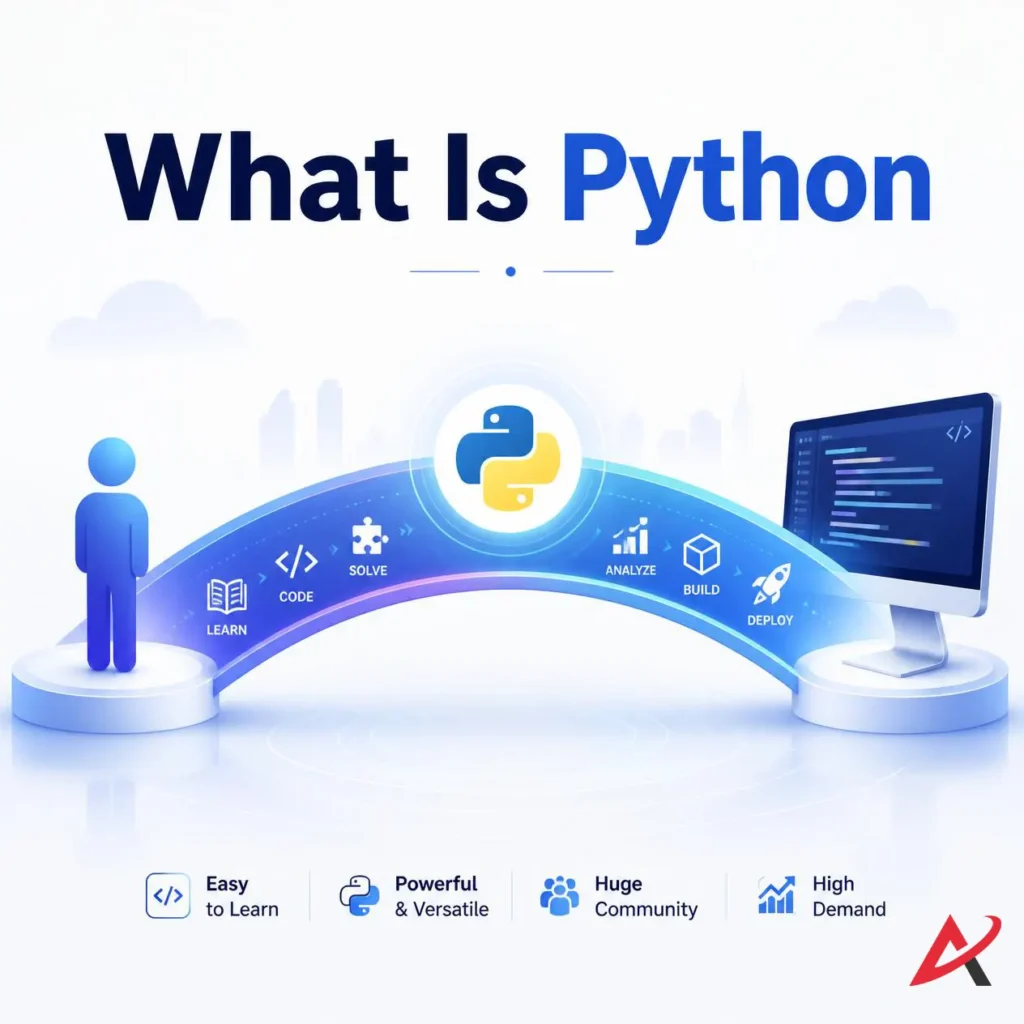
What is Python? Python is a high-level programming language that is easy to learn and widely used for web development, automation, data science, and artificial intelligence.
When you interact with an application on your phone or computer, you are interacting with code that has been processed and executed. Python acts as a beautifully engineered bridge between human thought and digital execution. It allows you to build systems, run calculations, and manipulate data without needing to understand how a computer processor manages electrical currents. It is an easy programming language that treats clarity as a feature, not an afterthought.
Definition of Python
To be precise, Python is a high-level programming language, which means its structure is far removed from the raw binary (1s and 0s) that computers natively read. It is also an open-source programming language, meaning a global nonprofit community maintains it and is entirely free for anyone to download, modify, and use, whether you are a student or a multi-billion dollar enterprise.
Furthermore, Python is a highly adaptable scripting language that supports multiple programming paradigms, including object-oriented programming (a method of structuring code by grouping data and behaviors into reusable units). This structural flexibility ensures that as your projects grow from tiny automated scripts into massive corporate infrastructure, the language easily scales with you.
Why Python Is Called a Programming Language
A language requires a defined vocabulary, a set of grammatical rules, and a method for conveying meaning. Python fulfills this exactly. It provides a structured environment where your typed text files undergo code execution to perform specific actions.
When you write a Python script, you are assembling a recipe. The computer reads your text instructions from top to bottom, translates those rules into actionable steps, and produces an output, whether that output is displaying a website or calculating financial trends. It is an active ecosystem for Python development that turns abstract logic into functional Python applications.
Who Created Python?
The history of Python begins in the late 1980s in the Netherlands. A computer scientist named Guido van Rossum was working on an educational language called ABC. While ABC was highly readable, it lacked the power to handle real-world operating system tasks. During his Christmas holidays in 1989, Van Rossum decided to design a new language that combined the clean, human-friendly readability of ABC with the robust capabilities of systems languages like C.

Van Rossum released the code to the public in 1991. As for the name? He wasn’t thinking of reptiles. He was a massive fan of the surreal British comedy troupe Monty Python’s Flying Circus. He wanted a name that was short, unique, and slightly irreverent, reflecting a philosophy that programming should be engaging and fun rather than dry and academic.
Why Python Is Popular Among Beginners
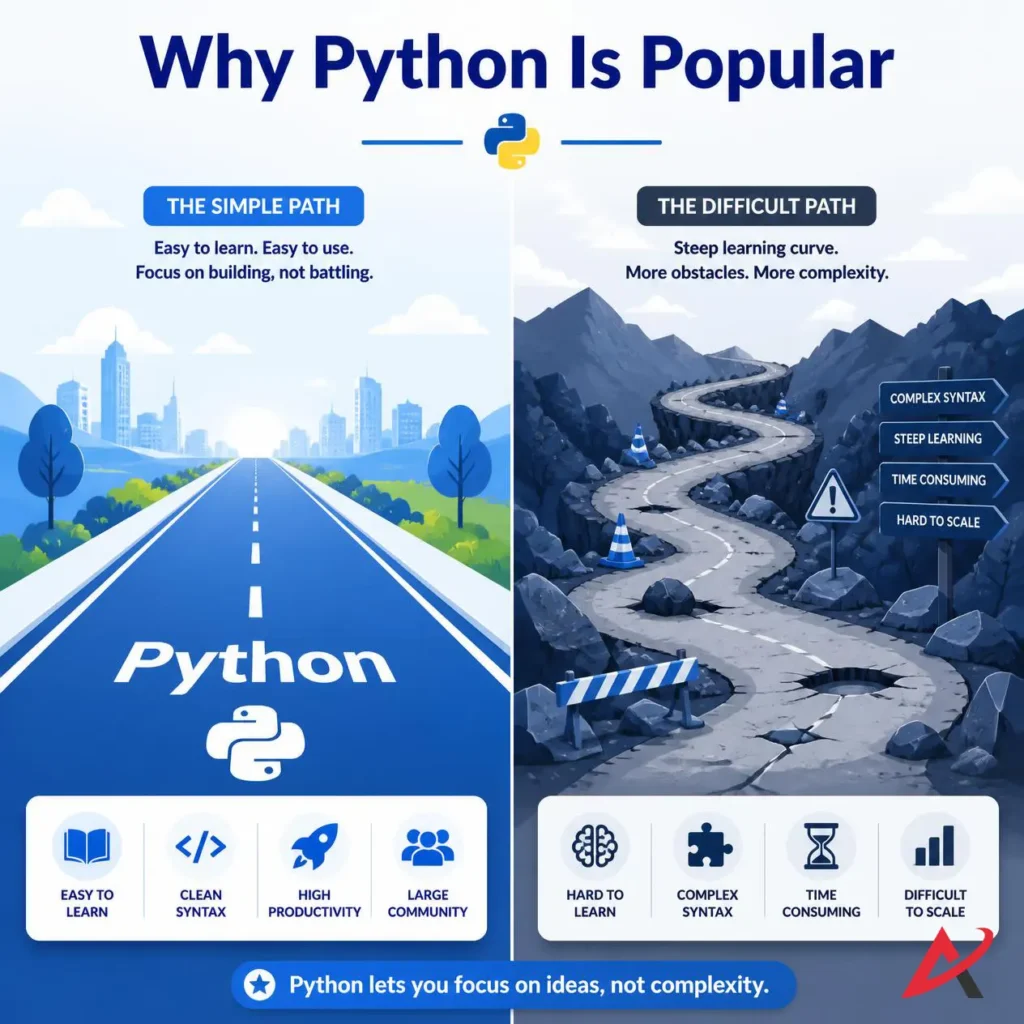
If you walk into a university computer science lecture, an interactive Python bootcamp, or browse a modern Python learning platform, you will notice a common theme: Python is almost always the starting point. Why has it become the undisputed king of Python programming basics?
The answer lies in how the language eliminates early friction. When you learn Python from scratch, you aren’t bogged down by the rigid, institutional complexities of older languages. You get to experience the thrill of building functional tools almost immediately, which provides the psychological momentum needed to keep learning.
Simple and Easy-to-Read Syntax
The defining features of Python center around its clean Python syntax. In programming, “syntax” refers to the rules governing how code must be written to be understood by the system. Many languages require a maze of curly braces {} and mandatory semicolons ; at the end of every line. Missing a single semicolon can cause a 500-line program to crash completely.
Python throws those rules out the window. It relies on clean, indentation-based logic (using spaces or tabs) to organize code blocks. This design forces you to write beautifully spaced, legible code naturally. Let’s look at a quick comparison:
- Java Code to print text:
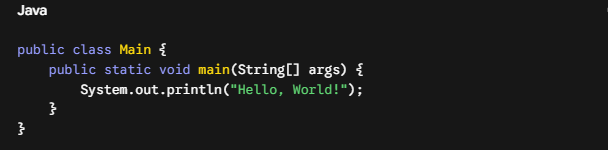
The introduction to Python reveals a language that values your time. It cuts out the boilerplate filler text so you can focus entirely on your core logic.
Large Community Support
When you learn to code, you will get stuck. You will hit error messages that look like alien hieroglyphics. This is where Python’s global community becomes your greatest asset. Because Python has been one of the world’s most popular languages for decades, millions of developers have already solved the exact problems you will encounter.
Websites like Stack Overflow are packed with beginner-friendly explanations. If you run into an error during your Python software development experiments, a quick web search will almost always yield a clear, community-verified solution. You are never learning in isolation.
Thousands of Free Learning Resources
The sheer volume of educational material available for Python is unmatched. If you want to learn Python online, you don’t need to spend thousands of dollars on tuition. The web is overflowing with top-tier materials, ranging from an interactive free Python course on platforms like YouTube to a comprehensive Python tutorial PDF that you can study offline at your own pace. The barrier to entry has been lowered to absolute zero.
Cross-Platform Compatibility
It does not matter if you use a brand-new MacBook, a custom-built Windows gaming rig, or an old Linux machine salvaged from a garage sale. Python is cross-platform. A script written on a Windows machine will run perfectly on macOS or Linux without needing a complete structural rewrite. This portability makes it an incredibly reliable tool for modern software engineering teams working across diverse corporate environments.
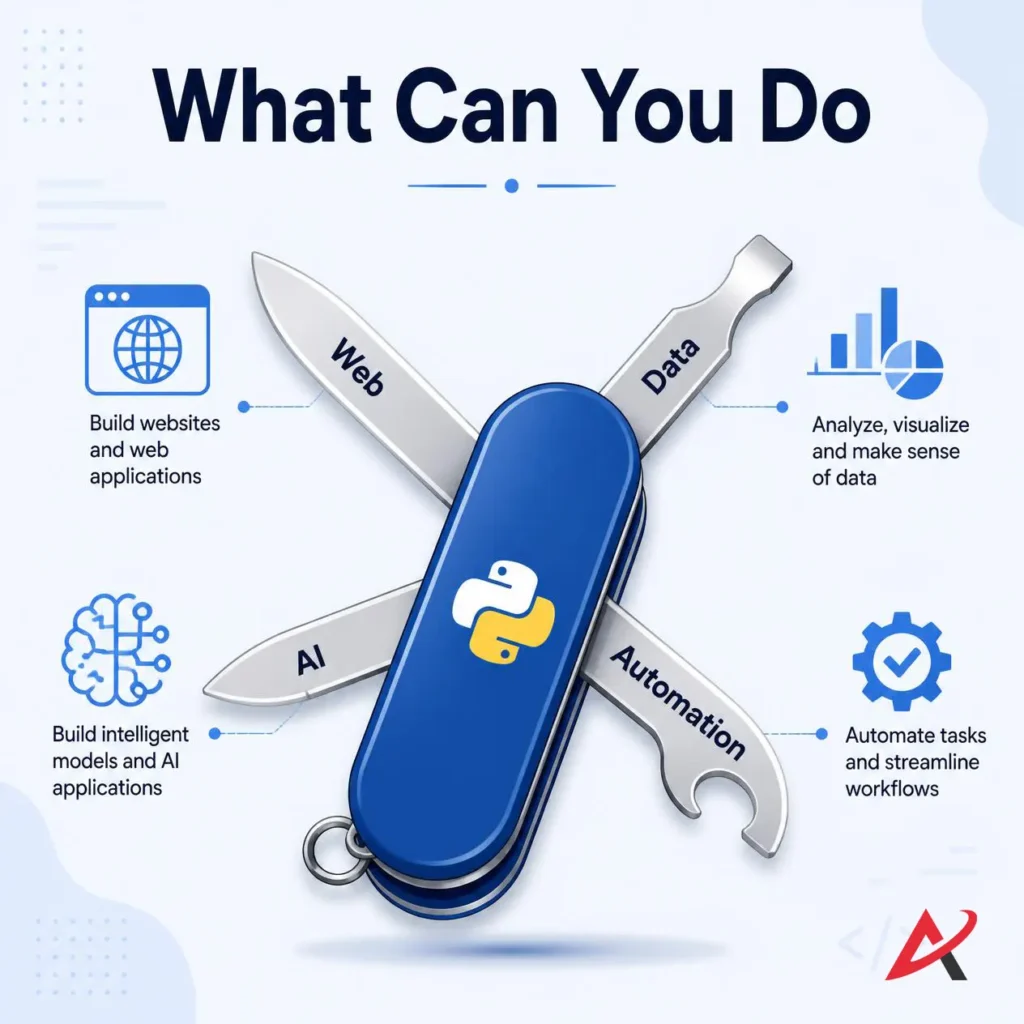
What Can You Do with Python?
Don’t let Python’s simplicity fool you into thinking it is a basic training tool. While it is an easy programming language to pick up, it powers some of the most sophisticated digital architecture on earth. From streaming algorithms to space exploration systems, Python is a foundational element of modern industry.
Web Development
When you visit a major website, you see visual elements built with HTML and CSS. But behind the scenes, a server is processing your password, updating your profile, and fetching information from a database. This is backend development.
Python is a primary language for web infrastructure. Instead of building web servers from scratch, developers use web frameworks, pre-coded collections of tools that handle security, database connections, and user sessions out of the box.
- Django: A high-level framework built for rapid development. It powers massive platforms like Instagram and Pinterest.
- Flask: A lightweight, minimalist framework perfect for building small applications and microservices quickly.
Data Science and Analytics
We live in an era dominated by data. Companies collect petabytes of information daily, but that data is useless without a way to parse, clean, and analyze it. Python is the premier tool for data science.
Data analysts use specialized collections of code called libraries to transform massive, chaotic spreadsheets into clean, actionable insights. Tools like Pandas and NumPy handle advanced statistical calculations instantly, while an interactive development environment like Jupyter Notebook allows analysts to run code, take notes, and generate visual charts all within a single web page.
Artificial Intelligence and Machine Learning
Every breakthrough in artificial intelligence and machine learning over recent years relies heavily on Python. Whether a system is generating realistic artwork, translating languages in real-time, or powering self-driving cars, Python is the language under the hood.
Engineers don’t write complex neural network math by hand. They use Python’s rich ecosystem of open-source libraries:
- Scikit-Learn: Perfect for standard machine learning models like linear regression and data clustering.
- TensorFlow & PyTorch: Advanced frameworks used to train deep learning models and complex neural networks.
Automation and Scripting
You don’t have to want a full-time tech job to get massive value out of Python. One of its most powerful use cases is automation. If your daily office job involves downloading files from emails, renaming thousands of documents, copying data from PDFs into Excel sheets, or scraping product prices from websites, Python can do it for you.
By writing short, custom Python scripts, you can automate these repetitive tasks. A job that used to take you three hours of tedious clicking can be reduced to a single click and executed in three seconds.
Game Development
While massive, graphically intensive 3D games are typically built in languages like C++ or C#, Python is a fantastic playground for learning game logic and prototyping ideas. Using a library like Pygame, beginners can easily build 2D arcade games, puzzle platforms, and interactive text adventures while mastering structural fundamentals like game loops, event handling, and collision detection.
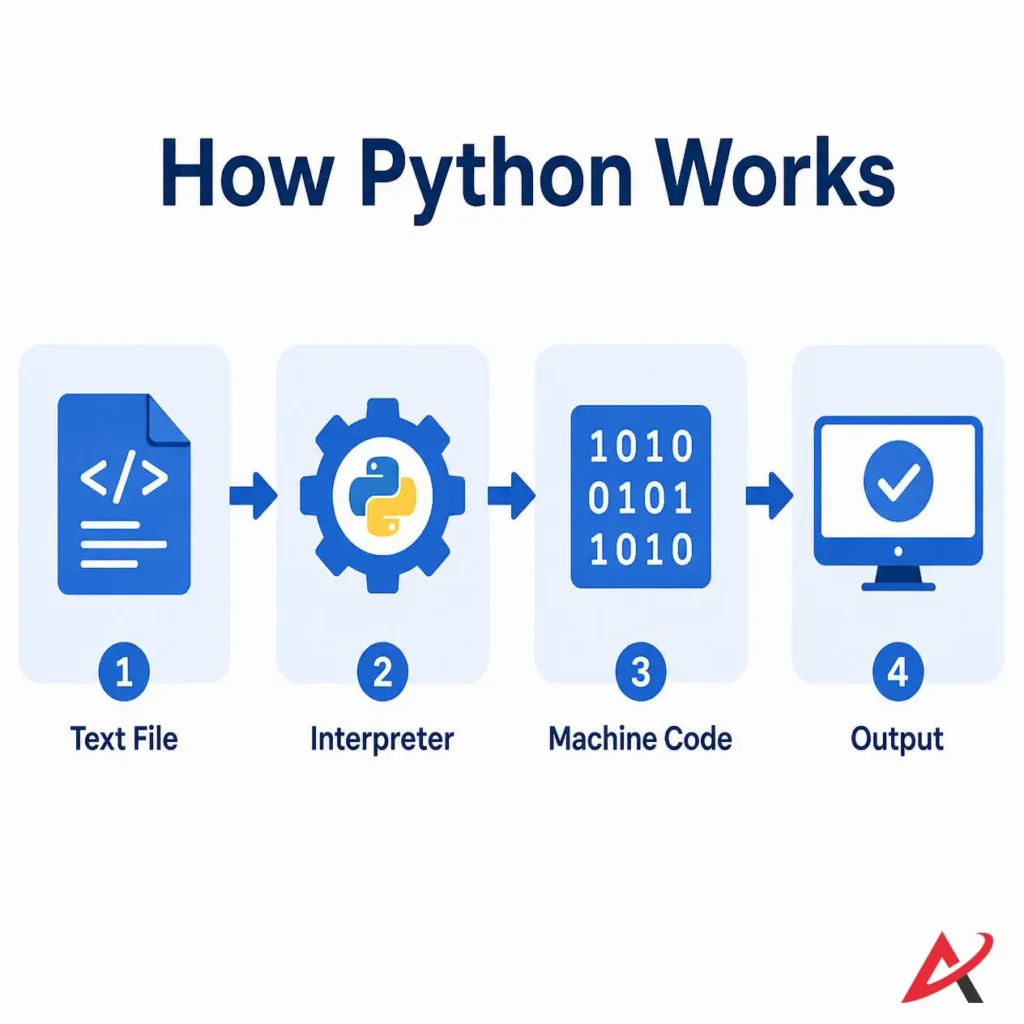
How Python Works
Before jumping into your first Python project, it helps to understand what happens under the hood when your computer interacts with your code. This understanding takes away the mystery of programming and makes debugging errors much less stressful.
Writing Python Code
Writing code is surprisingly low-tech. You don’t need a specialized computer or access to an underground laboratory. Code is just plain text. You write your instructions using standard alphanumeric characters, save the file, and give it a special extension: .py (such as script.py). This extension tells your operating system that the file contains Python programming instructions.
Running a Python Program
Once your text file is saved, you need to execute it. This is known as running Python code. You typically do this by opening a command-line terminal, navigating to the folder where your file is saved, and typing a command like python script.py. This action signals your computer to hand the file over to the Python environment for processing.
Understanding Python Interpreters
Your computer’s processor cannot read your text code directly. It only understands machine code, a rapid stream of electrical instructions represented as 1s and 0s.
This is where the Python interpreter comes in. The interpreter is software that reads your Python text file line by line, checks it for grammatical errors, and translates it on the fly into machine instructions that your computer can execute instantly.
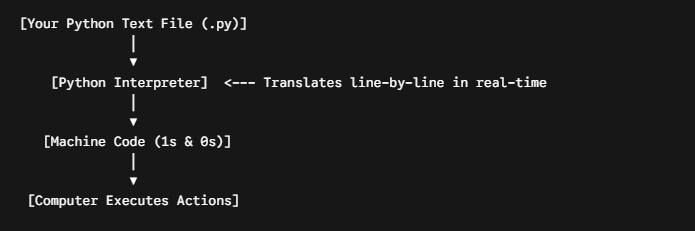
Because Python uses an interpreter rather than a lengthy compilation process, it allows for incredibly fast testing. You can modify a line of code, run it immediately, view the output, and fix mistakes on the spot.
Advantages of Learning Python for Beginners
If you are looking to invest your limited free time into a new skill, you want to make sure it delivers real-world returns. Python offers an exceptional blend of short-term accessibility and long-term career value.
Easy to Learn
As a tool built for Python for absolute beginners, it features an incredibly smooth learning curve. You don’t have to spend weeks memorizing complex hardware configurations or learning how memory management works inside a computer chip. Python abstracts those details away, letting you focus entirely on the fun part: building software that works.
High Demand in the Job Market
Corporate reliance on Python is massive and growing. From small startups to financial giants like JPMorgan Chase and tech titans like Google, companies are constantly searching for Python literacy. It is no longer a niche skill for backend engineers; marketing professionals, financial analysts, and product managers are increasingly expected to understand basic Python to interact with data.
Versatile Applications
Some programming languages lock you into a very specific career corner. If you learn Swift, you are primarily building iOS apps. If you learn PHP, you are mostly working on web content systems.
Python is a cultural Swiss Army Knife. Learning it means you can start your journey in web development, pivot into data analysis six months later, and eventually transition into artificial intelligence without ever needing to learn a brand-new programming language from scratch.
Strong Career Opportunities
The job market reflects this versatility. A quick search on global job boards reveals thousands of unfilled positions requiring Python expertise.
- Python Developer Salary Insights: While entry-level salaries vary based on your location and specific focus, junior Python developers consistently command highly competitive compensation packages. If you specialize in high-demand paths like machine learning engineering or data architecture, salary trajectories scale comfortably into six figures as you gain experience.
- The Practical Roadmap: To transition from a complete novice to a job-ready candidate, your Python developer roadmap should focus on mastering core syntax, learning a specialized framework (like Django or Pandas), building a portfolio of unique projects, and practicing common Python interview questions to demonstrate your problem-solving skills under pressure.
How to Install Python on Your Computer
Let’s move from theory to practice. To begin your coding journey, you need to set up a development environment on your computer. Follow this clear, step-by-step Python setup guide to get everything running safely.
Installing Python on Windows
- Visit the official download page at python.org.
- Download the latest stable version installer for Windows.
- Open the downloaded
.exefile to start the setup wizard. - CRITICAL STEP: Before clicking install, look at the bottom of the window and check the box that says Add Python to PATH. If you skip this, your terminal won’t be able to find your Python installation.
- Click “Install Now.” Once finished, open your Command Prompt and type
python --versionTo verify the installation succeeded.
Installing Python on macOS
- While macOS often comes with an older, system-level version of Python pre-installed, you need the latest version for modern development.
- Go to python.org and download the macOS installer package (
.pkg). - Run the installer and follow the standard on-screen prompts.
- Alternatively, if you use the Homebrew package manager, you can simply open your Mac Terminal and type the command:
brew install python. - Verify it is working by opening your Terminal and typing
python3 --version.
Installing Python on Linux
- Most modern Linux distributions (like Ubuntu or Fedora) come with Python pre-packaged.
- To ensure you have the latest tools, open your terminal window.
- On Ubuntu/Debian systems, run the command:
sudo apt update && sudo apt install python3 python3-pip. - Verify your system terminal connection by typing
python3 --version.
Setting Up Your Code Editor (IDE)
While you can write code in a basic app like Notepad, it is highly recommended to use an integrated development environment (IDE). This is a specialized text editor designed specifically for coding. It features syntax highlighting (coloring code words so they are easy to read) and automated debugging tools to catch typos.
The absolute gold standard for developers today is Visual Studio Code (VS Code). It is entirely free, lightweight, and works beautifully across Windows, Mac, and Linux. Once you download and install VS Code, navigate to its extensions tab, search for “Python,” and click install to turn your text editor into a powerful development station.
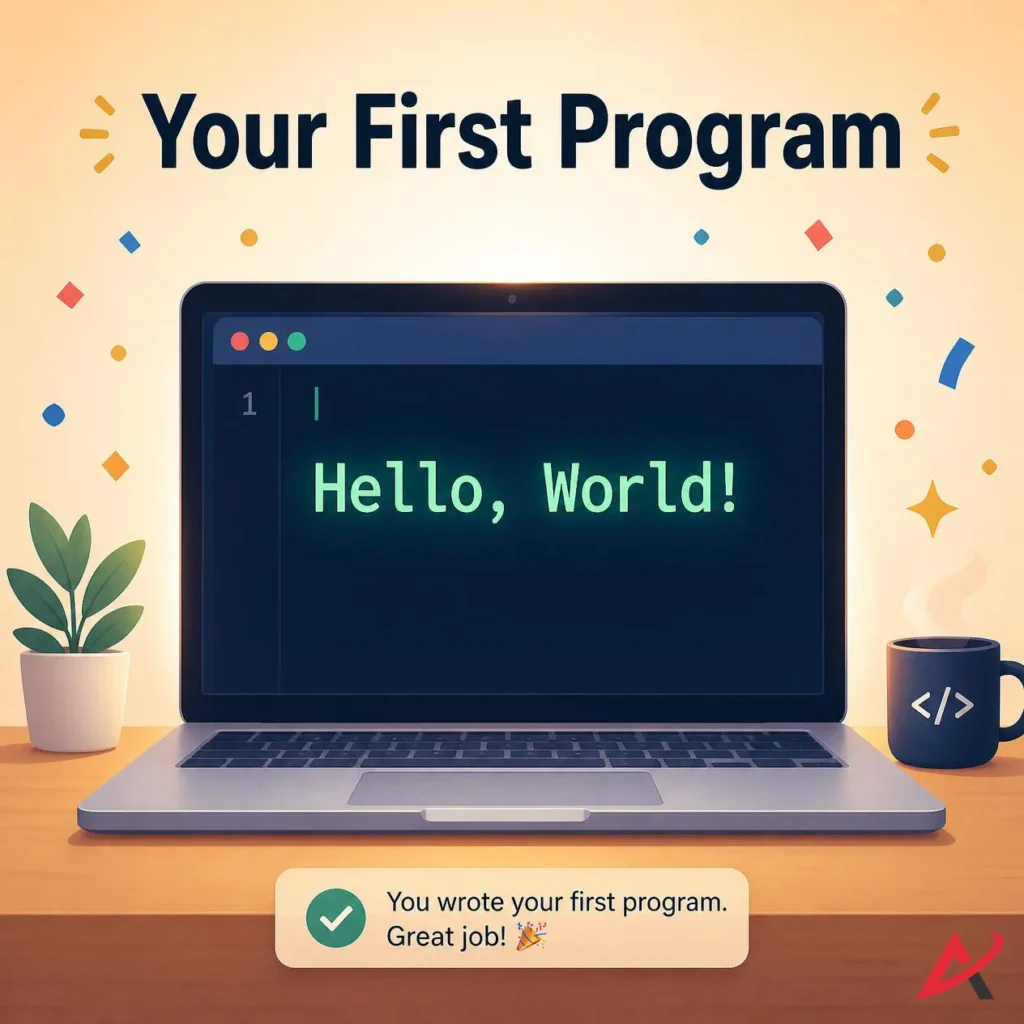
Your First Python Program
With your environment successfully set up, you are officially ready to write your first Python program. This is a historic rite of passage that every software engineer has completed before you.
Writing the “Hello, World!” Program
Open Visual Studio Code, create a brand-new file, and save it with the name hello.py. In your editor window, type the following single line of code exactly as shown:

Running the Code
To execute your new script, open the built-in terminal window inside VS Code (you can use the keyboard shortcut `Ctrl + “ or navigate to Terminal > New Terminal in the top menu). In the terminal window, type the following command and press Enter:
Bash
python hello.py(Note: Depending on your system configuration, especially on Mac and Linux, you may need to type python3 hello.pyinstead).
Understanding the Output
Look directly below your command line. The terminal should instantly display the text:
Code snippet
Hello, World!Let’s look at what just happened. The word print is a built-in Python function. Think of it as a clear command telling the computer to shout something out onto the screen. The text inside the parentheses and matching quotation marks (Hello, World!) is a text string, the exact message you want to display. The Python interpreter read your line of text, processed the command, and outputted your exact message. You are now officially a programmer!
Basic Python Concepts Every Beginner Should Learn
As you move past your first script, you will encounter the foundational building blocks of Python programming basics. Every software application you use, from mobile games to banking apps, is constructed by combining these core architectural elements.
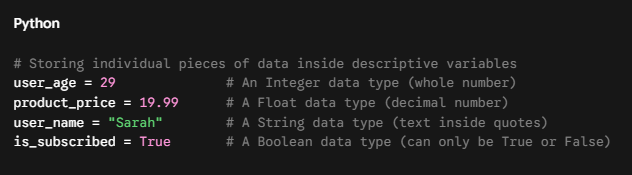
Variables and Data Types
Think of variables as labeled storage boxes inside your computer’s memory. You can store a piece of data inside a box, give it a clear name, and access or change that data later in your script.
Python
Conditional Statements
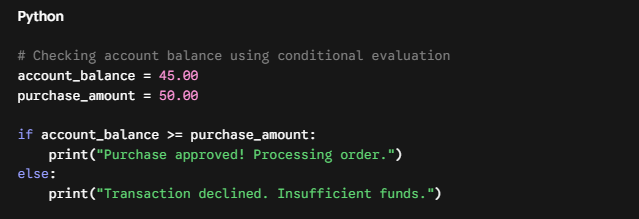
Programs need to be able to make decisions based on real-world inputs. We achieve this using conditional statements, which rely on if-else statements to evaluate whether a condition is true or false.
Python
Loops
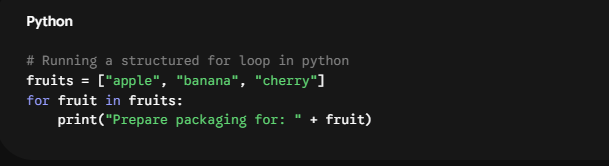
If you had to write the code to send an email to 10,000 customers manually, you would be typing for days. Loops allow you to write an action once and repeat it automatically as many times as needed.
- For Loop: Excellent for iterating through a specific, predetermined list of items.
Python

Functions
A function is a packaged block of code designed to perform a specific job. Instead of writing the same ten lines of calculation code in five different places throughout your script, you can wrap them inside a reusable function and call it whenever you need it.
Python
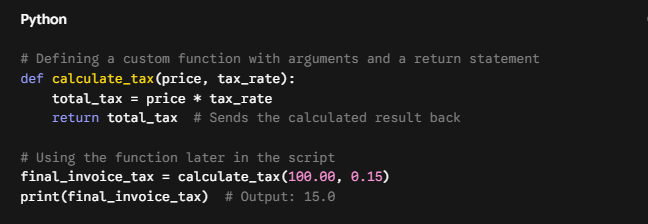
In this example, price and tax_rate are function arguments, inputs passed into the function so it can do its job. The return statement passes the final result back to your main script.
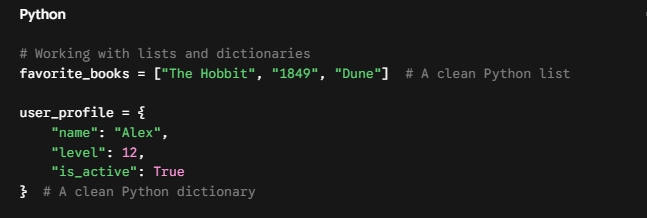
Data Collections (Lists and Dictionaries)
When managing large amounts of information, storing everything in individual variables becomes messy. Python uses specialized collections to keep data organized:
- Python Lists: An ordered sequence of elements enclosed in square brackets
[]. - Python Dictionaries: A collection of key-value pairs enclosed in curly braces
{}. Think of it like a real dictionary: you look up a specific “word” (the key) to find its “definition” (the value).
Python
Transactional Feature: Choosing Your Path to Python Mastery
Knowing that you want to learn Python is the easy part. Deciding how to learn it can lead to decision paralysis. Should you join an intensive Python bootcamp, watch unstructured tutorial videos online, or pick up technical textbooks?
The right choice depends on your budget, your personal learning style, and your ultimate career goals. Let’s break down the three primary educational pathways available today to help you pick the perfect route for your journey.
Comparative Value Matrix: Python Training Pathways
| Educational Path | Structural Style | Best Suited For | Ideal Timeline |
| Self-Paced Platforms | Interactive video lessons, quiz checkins, and browser-based programming sandboxes. | Busy individuals balancing full-time jobs who need schedule flexibility. | 3 to 6 Months |
| Immersive Bootcamps | Intensive, mentor-led environments featuring strict deadlines, group projects, and direct career placement services. | Dedicated career changers looking to transition into full-time roles as quickly as possible. | 12 to 16 Weeks |
| Personalized Coaching | 1-on-1 private mentorship sessions focused on code reviews, customized project building, and specific problem-solving. | Executives, specialists upskilling for a specific project, or students facing localized learning roadblocks. | Highly Variable |
Strategic Recommendation
- If your goal is to explore programming as a hobby or automate small office tasks, start with an interactive free Python course or a highly-rated Python learning platform to learn the fundamentals without financial pressure.
- If your goal is to transition into a career in data science or AI engineering within the next year, investing in a structured Python certification course or a comprehensive Python bootcamp will provide the accountability, project portfolio, and hiring network needed to successfully clear corporate screens.
Best Resources to Learn Python
To save you from wasting hours searching through low-quality learning materials, here is a community-verified selection of the absolute best learning resources available today.
Free Online Courses
- Harvard University’s CS50P: An incredible, world-class introduction to programming with Python. It is completely free to audit, features highly engaging video lectures, and covers clean programming habits from the ground up.
- University of Helsinki’s Python Programming MOOC: A fantastic, text-based interactive course that includes built-in coding exercises that are instantly graded by an automated testing system.
YouTube Channels
- Corey Schafer: Widely considered the gold standard for deep-dive Python tutorials. His videos are incredibly methodical, clear, and step-by-step, perfect for absolute beginners moving into intermediate concepts.
- Programming with Mosh: Excellent for short, high-impact crash courses. If you want a clean, visually structured 6-hour overview to understand basic syntax fast, his introductory videos are unmatched.
Practice Websites
- Replit: A free, browser-based coding environment. You don’t need to install any software on your computer; you can open a tab and start running Python scripts on any device instantly.
- HackerRank & Codewars: Once you understand the basics of variables and loops, visit these platforms to solve tiny programming puzzles. It is a gamified way to build problem-solving muscle memory.
Recommended Books
- Python Crash Course by Eric Matthes: Easily the best introductory book on the market. The first half walks you through core syntax concepts, while the second half guides you through building a 2D Space Invaders game, data visualizations, and a functional web application.
- Automate the Boring Stuff with Python by Al Sweigart: The ultimate guide for non-technical office workers. It bypasses abstract computer science theories and shows you exactly how to write scripts to control your keyboard, parse PDFs, and clean up messy spreadsheets automatically.
Common Questions About Python (FAQ)
Is Python difficult to learn?
No. Compared to almost every other major language, Python features a remarkably gentle learning curve. Because its structure closely mirrors regular English prose, you spend less time fighting with the grammar rules of the computer and more time learning how to structure logical solutions to problems.
How long does it take to learn Python?
If you can dedicate roughly 45 to 60 minutes of focused practice a day:
- Within 2 to 4 weeks, you will master basic variables, conditional logic, and simple loops, allowing you to write basic automation scripts.
- Within 2 to 4 months, you can confidently work with complex data structures, interface with databases, and build functional web applications using frameworks like Flask.
- Mastering advanced engineering ecosystems like machine learning architecture or enterprise-grade cloud deployments typically requires 6 to 12 months of continuous, project-based building.
Is Python good for getting a job?
Yes, the professional demand is massive. Python literacy is one of the most sought-after skills across modern industry. Whether you are aiming for a dedicated technical title like Data Scientist, DevOps Engineer, or Full-Stack Web Developer, or simply looking to enhance a non-technical role in marketing, finance, or research, Python is a phenomenal career accelerator.
Can I learn Python without any technical or mathematical background?
Absolutely. This is the biggest misconception holding prospective learners back. Basic programming is rooted in logic, patterns, and problem-solving, not complex calculus or advanced algebra. If you can handle standard real-world arithmetic (addition, subtraction, percentages) and think through a sequential recipe step by step, you have all the mathematical foundation required to become an excellent developer.
Quick Summary / Key Takeaways
- Human-Centric Design: Python is a high-level programming language explicitly designed to be read, written, and understood easily by human beings.
- Unmatched Versatility: It serves as the primary software engine driving modern industrial revolutions, including artificial intelligence, data science, backend development, and digital system automation.
- Zero Barrier to Entry: Setting up a professional development workspace via tools like Visual Studio Code is completely free and takes less than ten minutes on Windows, Mac, or Linux systems.
- Massive Career Leverage: Learning Python builds structural logical thinking patterns that naturally translate to other programming environments while instantly opening competitive career paths worldwide.

Conclusion: Your Journey Starts with a Single Line of Code
Every expert software engineer, data architect, and artificial intelligence research scientist started their career in the same position you are in right now. They sat down at a desk, opened a blank text file, and felt a wave of uncertainty as they prepared to execute their very first program.
The secret to mastering Python is not possessing rare natural talent; it is consistency. It is about writing code for thirty minutes a day, embracing error messages as helpful clues rather than failures, and committing to building small, practical projects that excite you.
The software environment is installed, your text editor is ready, and the digital landscape is waiting for you to build something incredible. Open your workspace, type that historic print() statement, and take your first definitive step into the development world today.
FAQs
What is Python in simple words?
Python is a programming language that lets you give instructions to a computer in a simple, readable way.
How difficult is Python for beginners?
Python is one of the easiest programming languages for beginners because its syntax is simple and easy to understand.
Is ChatGPT Python?
No, ChatGPT is not Python, but it is built using software systems that heavily use Python and other technologies.
What are the 33 words in Python?
Python has reserved keywords (such as if, else, for, while, def, and class) that have special meanings and cannot be used as variable names.
How to learn Python in 15 minutes?
In 15 minutes, you can learn the basics by understandingprint(), variables, simple data types, and writing a small “Hello, World!” program.
What are some common Python keywords?
Common Python keywords include if, else, for, while, def, class, return, import, try, and except.
Related Blogs
How to Install Python on Windows, Mac, and Mobile – Step-by-Step Guide