Python String Methods Tutorial. Every time you log into an app, submit a web form, search a database, or scrape data off a website, you are working with text. In Python, textual data is represented as a sequence of characters known as a string. Whether you are building web scrapers with BeautifulSoup, building REST APIs with FastAPI, or cleaning messy datasets in Pandas, Python string manipulation is an absolute daily requirement.
This Python coding guide will walk you through the essential built-in string methods in Python, providing code examples, architectural nuances, and performance tips to turn you into a text-processing powerhouse.
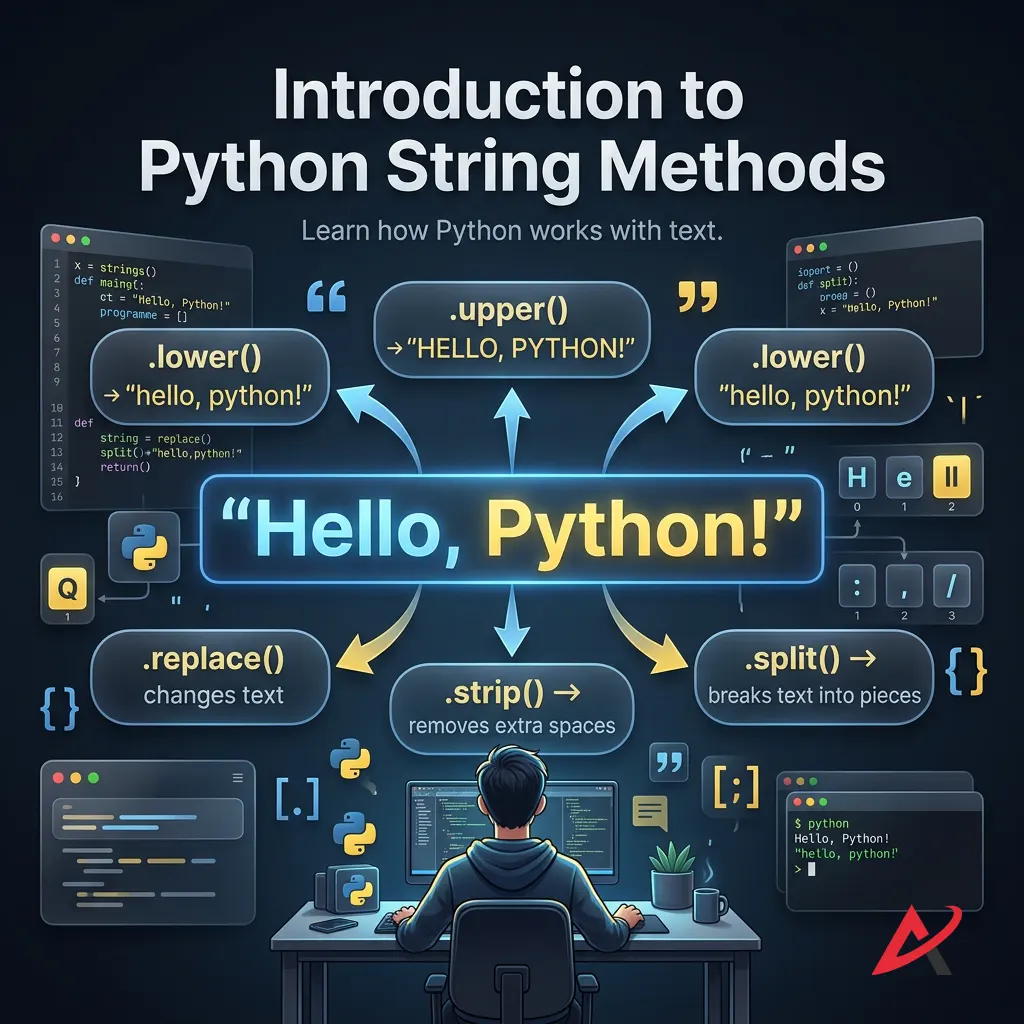
Introduction to Python String Methods
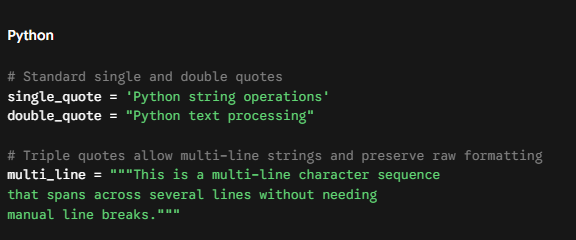
Before manipulating text, we need to understand what a string object actually is inside Python’s runtime environment. In Python programming, strings are fundamental Python data types created by enclosing characters inside single ('...'), double ("..."), or triple ('''...''' or """...""") quotes.
The Immutable String Principle
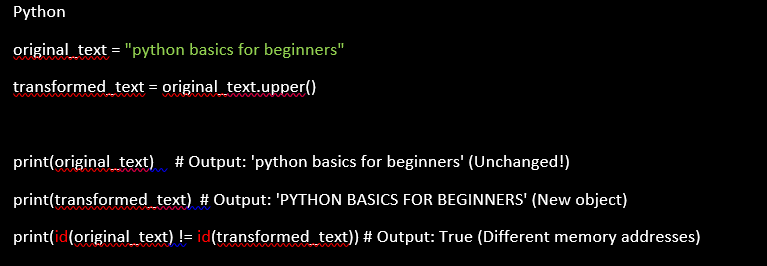
The single most important architectural detail to grasp when you learn Python strings is that strings are immutable. An immutable string cannot be modified in place after creation.
When you invoke a string method such as converting text to uppercase or removing spaces, Python does not alter the underlying bytes of the existing object. Instead, it computes the transformation, allocates a brand-new string object in memory, and returns that new reference.
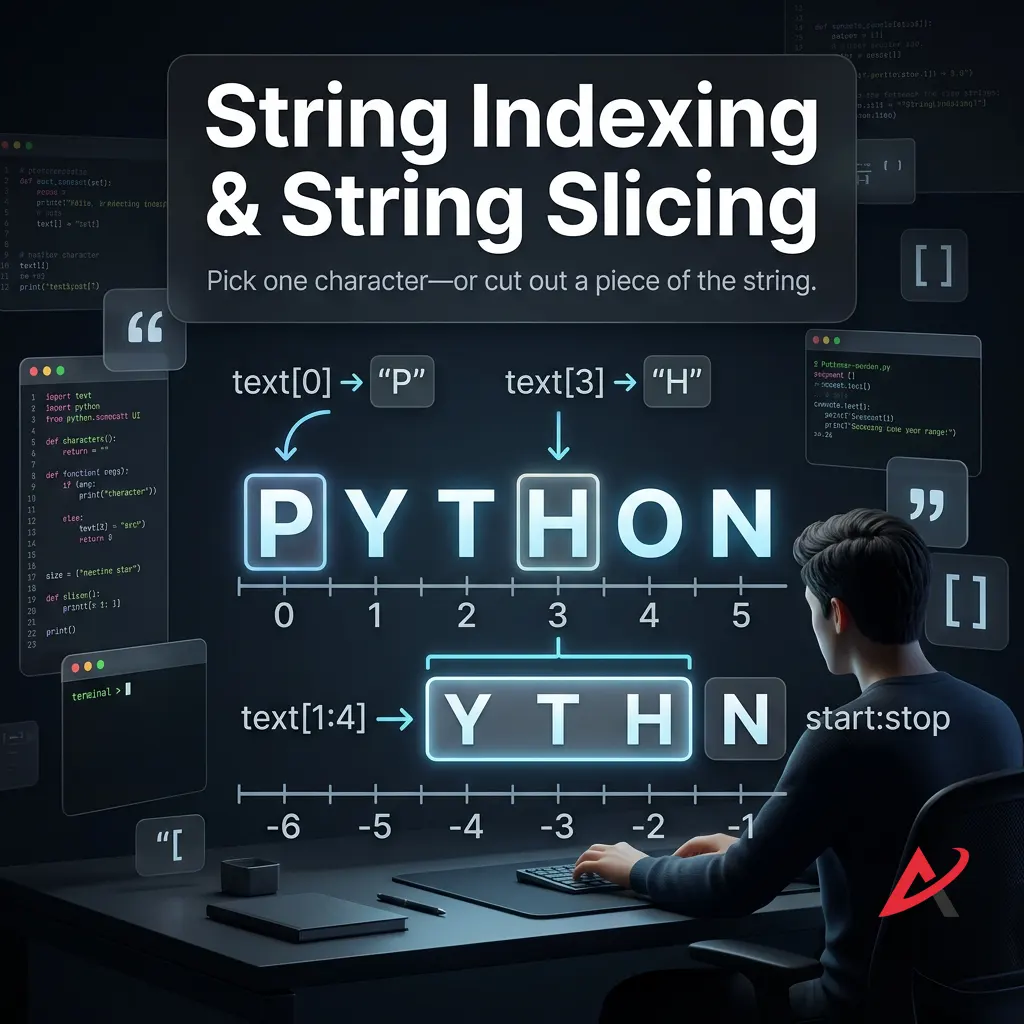
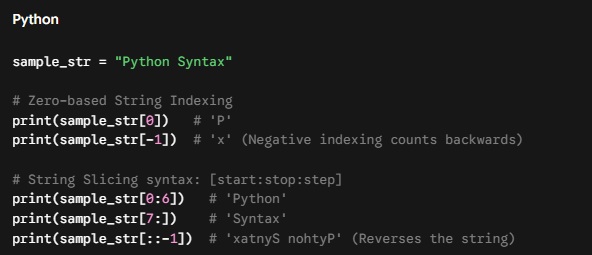
Accessing Characters: String Indexing and String Slicing
Because strings are an ordered character sequence, Python allows you to target individual characters or extract ranges using string indexing and string slicing.
Understanding these core mechanics sets the stage for utilizing Python string utilities effectively. For a complete, detailed list of all methods, check the official Python stdtypes String Methods Documentation.
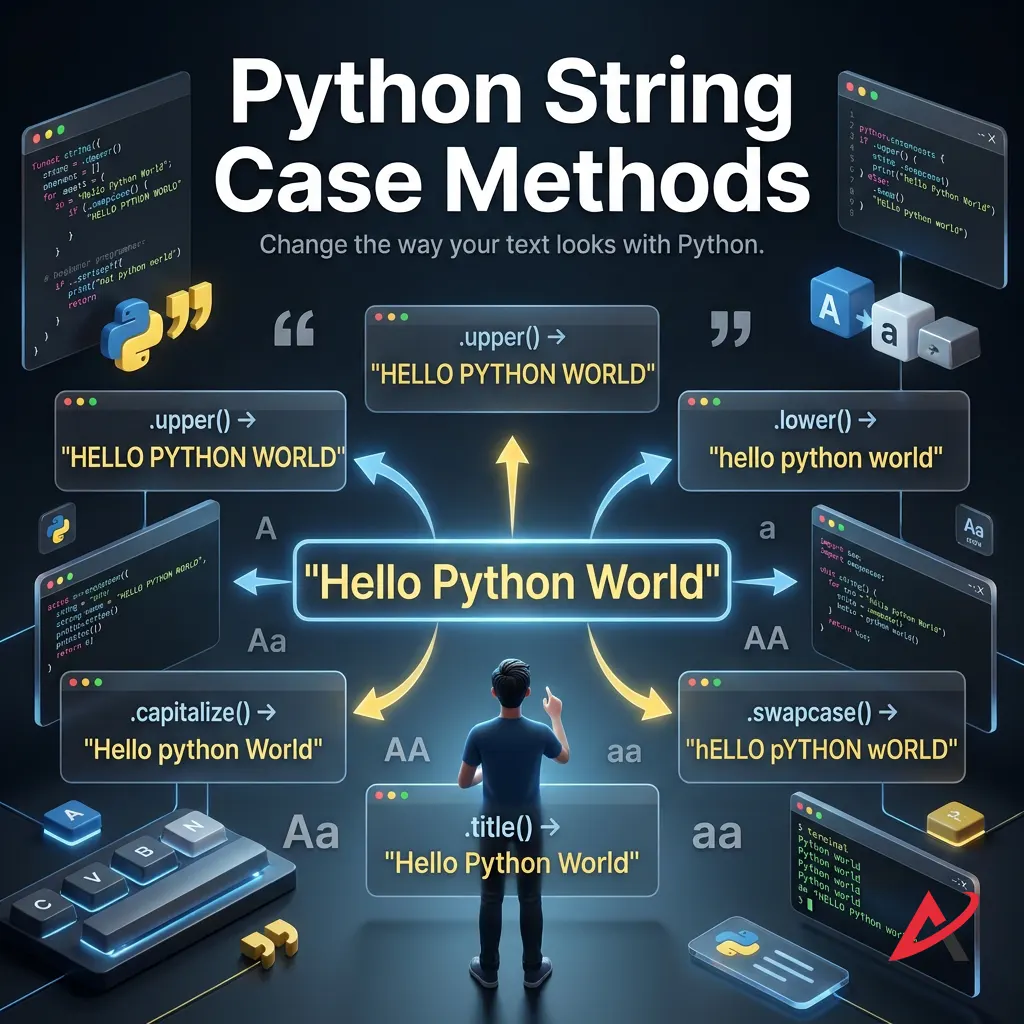
Python String Case Methods
Standardizing text cases is the first step in cleaning raw data. Whether you are normalizing email addresses, preparing titles for a CMS, or performing case-insensitive string comparisons, case conversion methods are vital Python string functions.
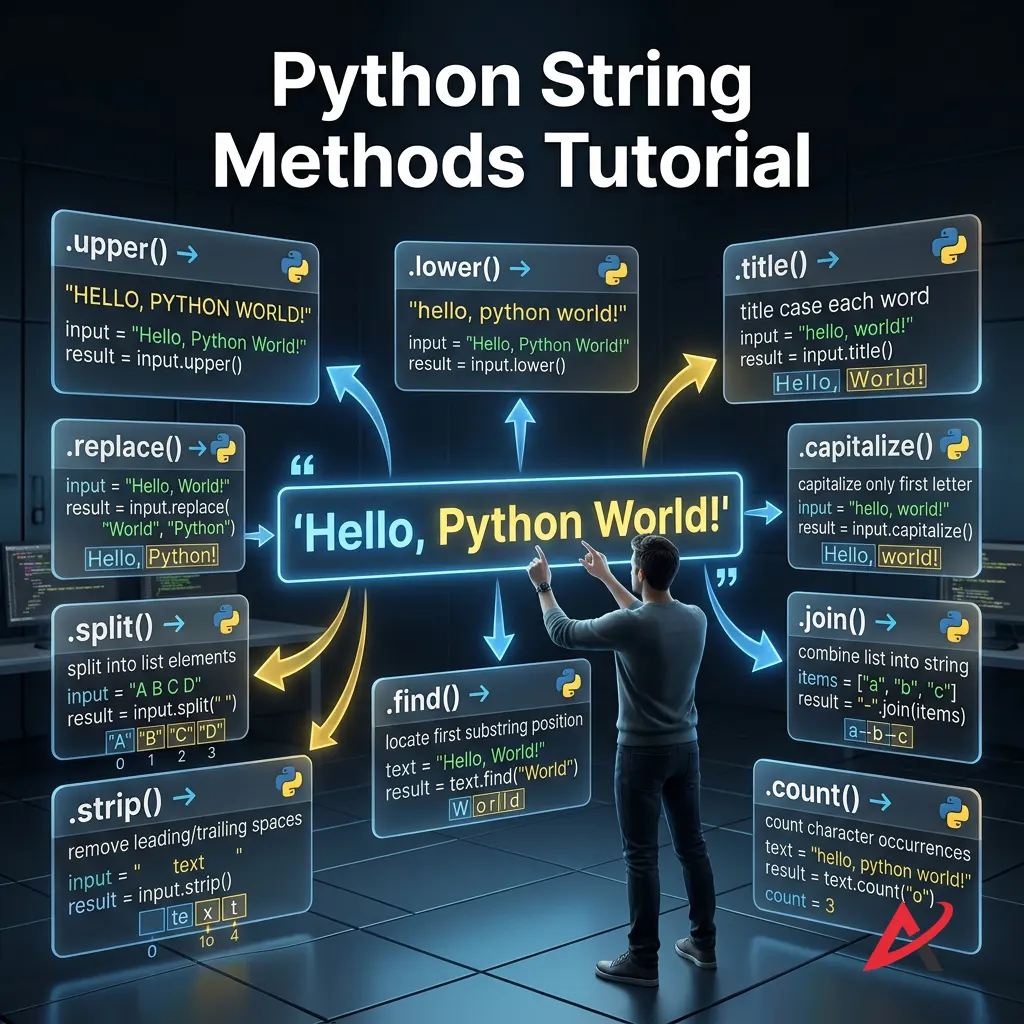
upper()
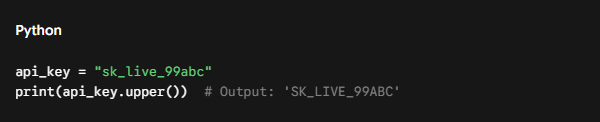
The upper() method converts all cased characters in a string to uppercase. Non-cased characters (digits, symbols, punctuation) remain untouched.
lower()
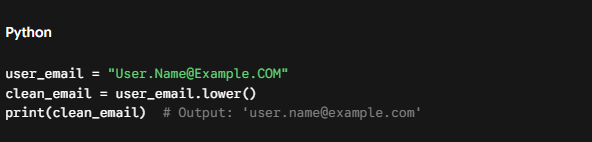
The lower() method converts every character to lowercase. It is heavily used in Python text processing to normalize user inputs before storing them in databases.
Expert Note: For strict internationalization (i.e., handling languages like German where ß becomes ss), prefercasefold()over lower(). It is a more aggressive case-removal method designed for Unicode caseless matching.
title()
The title() method converts a string to title case; the first letter of every word is capitalized, and all remaining letters are lowercased.
capitalize()
Unlike title(), capitalize() capitalizes only the very first character of the entire string, converting every other letter to lowercase.
swapcase()
The swapcase() method inverts letter case across the entire string: uppercase becomes lowercase, and lowercase becomes uppercase.
Python String Search Methods
Searching inside strings is crucial when parsing log entries, scanning documents, or filtering query strings. These Python string operations allow you to locate substrings, verify prefixes/suffixes, and count pattern frequencies.
find()
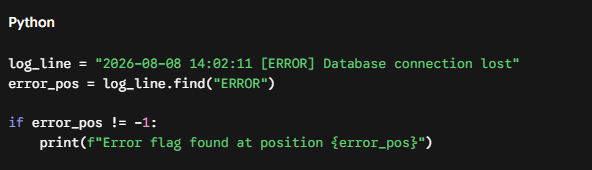
The find() method scans the string from left to right and returns the lowest index where the target substring is located. If the substring isn’t found, it returns -1 instead of throwing an error.
index()
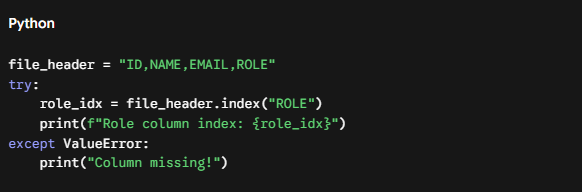
The index() method functions almost identically to find(), but with one major difference: if the substring is absent, Python raises a ValueError exception. Use index() when you expect the string to exist and want your code to fail explicitly if it is missing.
startswith()
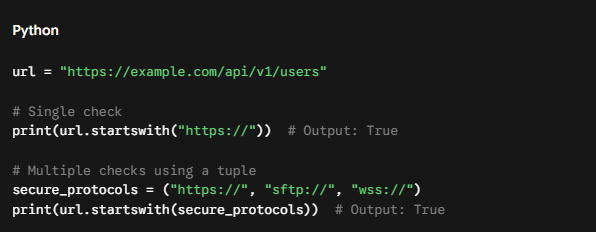
The startswith() method checks if a string begins with a specified prefix. You can also pass a tuple of prefixes to check for multiple options simultaneously.
endswith()
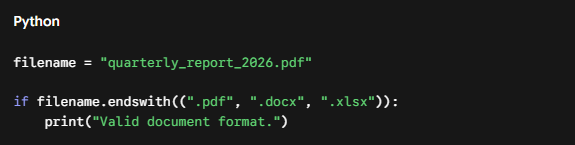
The endswith() method verifies whether a string finishes with a specified suffix. It is ideal for validating file extensions in Python script utilities.
count()
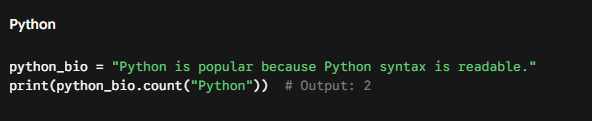
The count() method returns the number of non-overlapping occurrences of a substring within a target string.
Python String Validation Methods
Before passing raw user input into core business logic, string validation methods verify whether strings meet precise structural rules (alphabetic, numeric, whitespace) without writing heavy regular expressions.
isalpha()
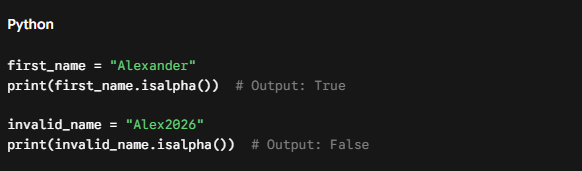
Returns True if all characters in the string are alphabetic letters and the string contains at least one character.
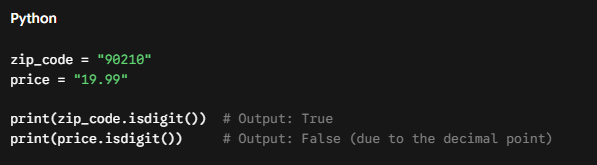
isdigit()
Returns True if all characters are digits (0–9). It returns False if punctuation, decimals, or minus signs are present.
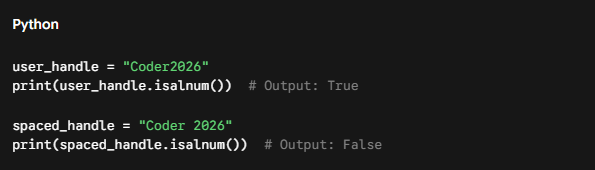
isalnum()
Returns True if all characters in the string are alphanumeric (letters or numbers). Useful for enforcing clean usernames.
islower()
Returns True if all cased characters in the string are lowercase, and there is at least one cased character.
isupper()
Returns True if all cased characters in the string are uppercase.
Python String Formatting Methods
Presenting clean text outputs requires alignment, padding, and substring replacements. While f-strings handle most variable interpolation in modern Python syntax, built-in formatting methods remain crucial for layout control.
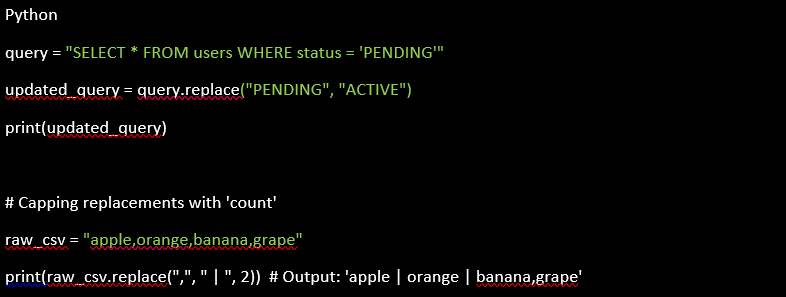
replace()
The replace() method swaps occurrences of a target substring with a replacement string. You can pass an optional count argument to cap the number of substitutions.
center()
Centers the string within a field of specified total width, padding the margins with a designated character (defaults to spaces).
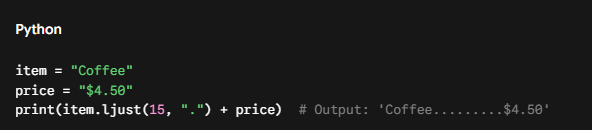
ljust()
Left-justifies text within a given width, padding trailing spaces on the right side. Ideal for formatting plain-text console tables.
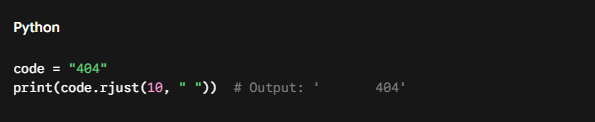
rjust()
Right-justifies text within a designated field width by prepending pad characters on the left.
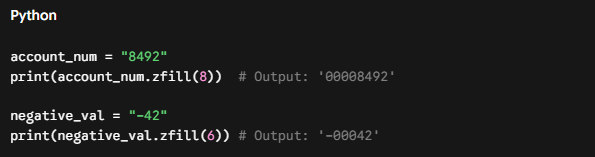
zfill()
Pads a numeric string with leading zeros (0) until it reaches the requested string length. It accurately preserves leading plus or minus signs.
Python String Split and Join Methods
Moving back and forth between single string blocks and Python lists is one of the most frequent tasks in software engineering.
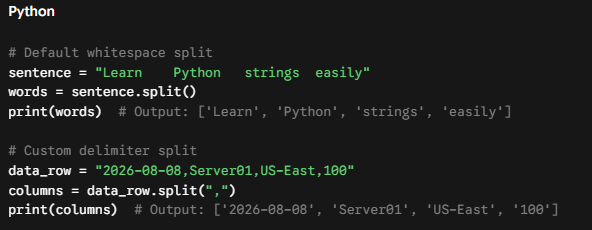
split()
The split() method divides a string into a list of substrings based on a delimiter. If no delimiter is specified, it splits on arbitrary whitespace (spaces, tabs, newlines) and discards empty elements.
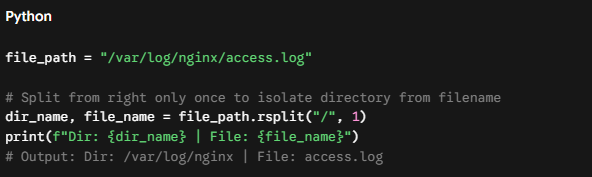
rsplit()
Functions like split(), but scans the string from right to left. When paired with the maxsplit parameter, it allows you to split off only the rightmost segments.
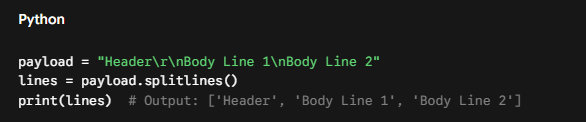
splitlines()
Breaks a multi-line string into a list, automatically handling different operating system line break conventions (\n on Linux/macOS, \r\n on Windows).
join()
The join() method takes an iterable of strings (like a list or tuple) and glues them together into a single string using the caller string as the separator.
Performance Tip: Never concatenate strings in a loop using the + operator (e.g., s += item). Because strings are immutable, + forces Python to allocate a new memory block and copy all existing characters on every iteration ($O(N^2)$ time complexity). Instead, append strings to a list and call " ".join(list) ($O(N)$ time complexity).
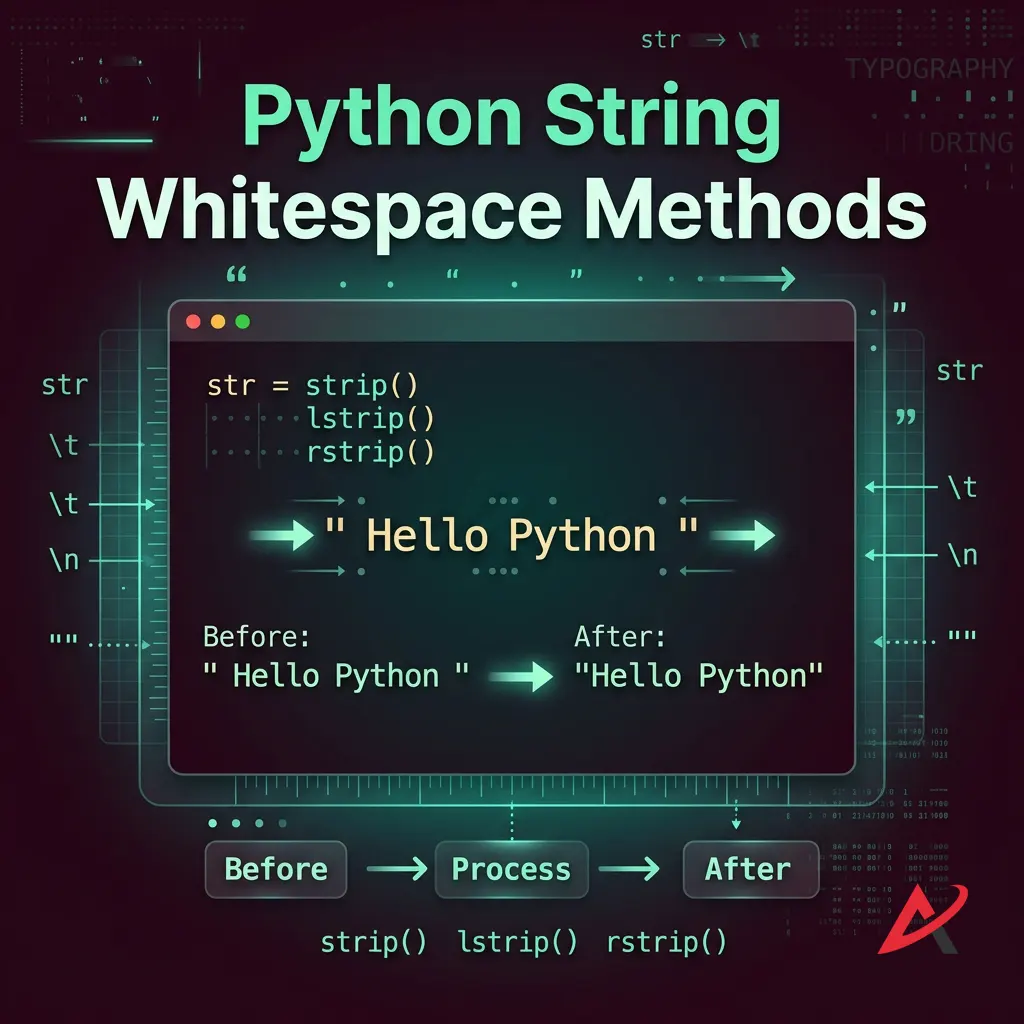
Python String Whitespace Methods
Raw text pulled from scrapers, web forms, or file readers almost always contains leading or trailing whitespace characters (\n, \t, ).
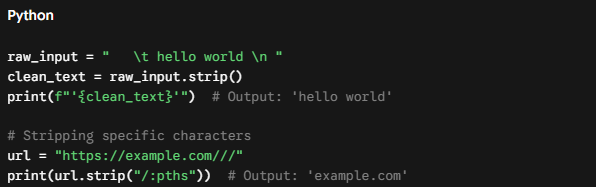
strip()
Removes all leading and trailing whitespace from both ends of a string. You can also pass a custom string of characters to strip specific symbols.
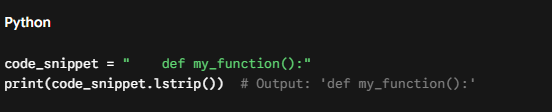
lstrip()
Trims whitespace or designated characters exclusively from the left (start) of the string.
rstrip()
Trims whitespace or designated characters exclusively from the right (end) of the string. Essential for stripping newline tokens (\n) when reading files line-by-line.
Python String Replacement Methods
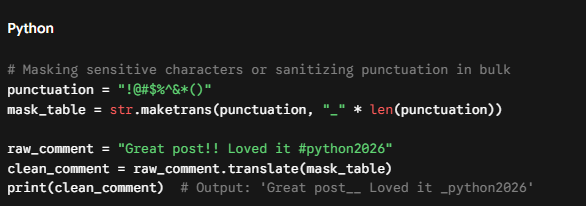
When simple .replace() calls fall short for complex multi-character mapping, Python offers advanced translation utilities: str.maketrans() and translate().
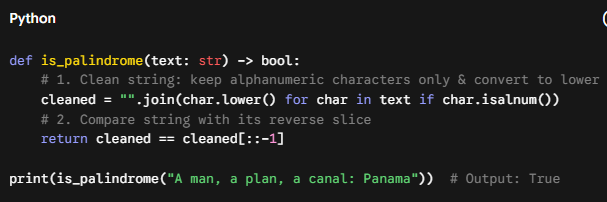
Problem: Write a function that returns True if a string reads the same backward as forward, ignoring case, spaces, and punctuation.
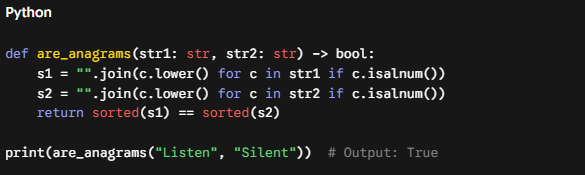
Challenge 2: Check for Anagrams
Problem: Determine if two strings are valid anagrams of each other.
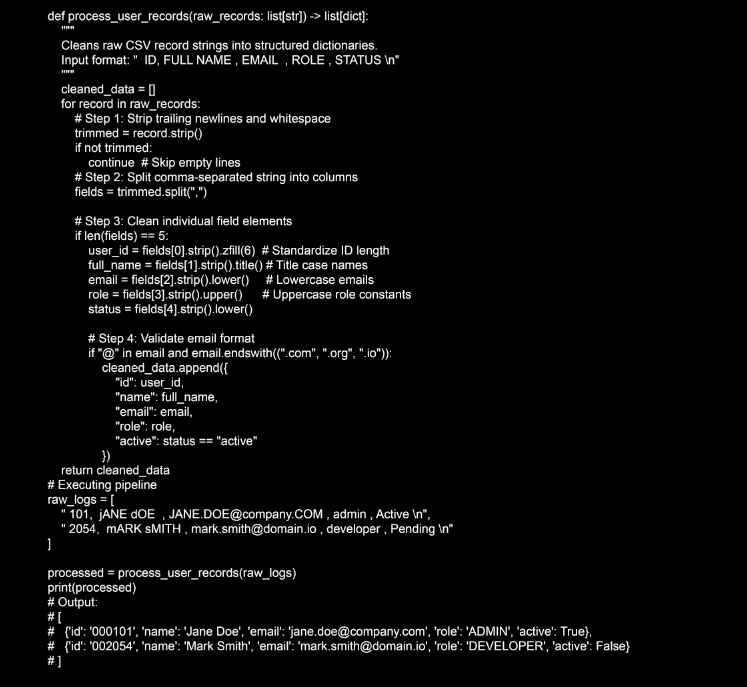
Python String Methods Examples: End-to-End Data Pipeline
Here is a practical, production-grade example demonstrating how these methods work together inside a real-world data preprocessing function:
Quick Summary / Key Takeaways
Immutability First: String objects in Python cannot be modified in place. String operations always return a new string instance.
Avoid + in Loops: Use list.append() inside loops and call "".join(list) at the end for optimal memory performance.
Prefer f-strings: For dynamic string formatting, f-strings (f"{variable}") offer superior performance and readability compared to % formatting or .format().
Standardize Input: Always combine strip(), lower(), or casefold() when processing user inputs, form fields, and database queries.
Defensive Searching: Use find() when an absent substring is acceptable; use index() when absence indicates an error that requires immediate handling.
FAQs (Frequently Asked Questions)
Q1: Are Python strings mutable?
No. Python strings are completely immutable. Any function or method that appears to modify a string returns a new string object in memory.
Q2: What is the difference between find() and index()?
Both methods locate the first index of a substring. However, find() returns -1 if the substring is not found, whereas index() raises a ValueError exception.
Q3: Why should I use .join() instead of string concatenation (+)?
String concatenation with + creates new string objects in memory on every step ($O(N^2)$ time complexity). .join() calculates the total required memory upfront and constructs the final string in a single pass ($O(N)$ time complexity).
Q4: How do f-strings compare to .format()?
Introduced in Python 3.6, f-strings (Formatted String Literals) evaluate expressions at runtime and are faster, more readable, and less verbose than .format().
Q5: How can I handle case-insensitive string comparisons for international text?
Use str.casefold() instead of str.lower(). casefold() handles Unicode case conversions (like German ß $\rightarrow$ ss) accurately.
Conclusion
Mastering Python string methods is a fundamental step toward writing clean, efficient, and maintainable software. From basic cleaning tasks with strip() and lower() to complex text transformations using split(), join(), and custom translation tables, these built-in utilities form the backbone of everyday Python text processing.