Now Reading: How to Take User Input in Python: input() Function Explained
- 01
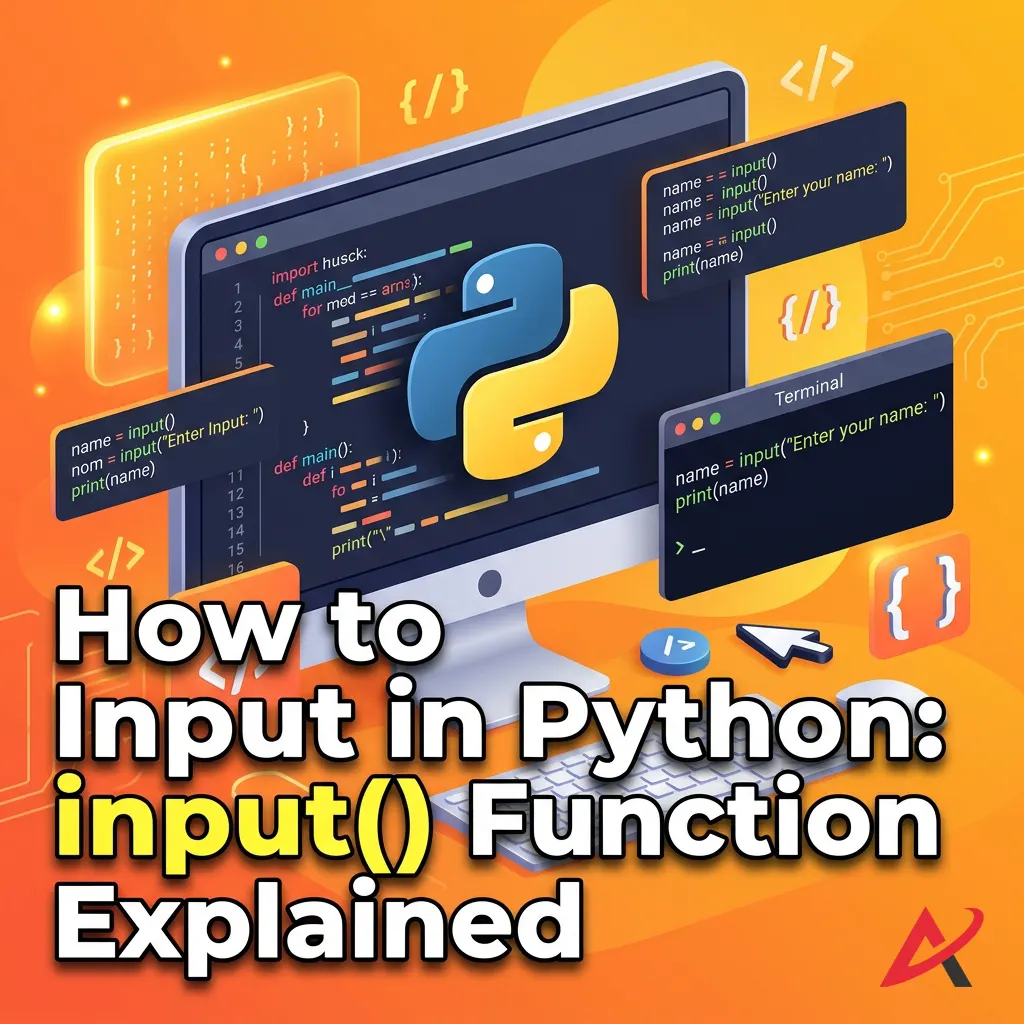
How to Take User Input in Python: input() Function Explained

Written by Hamza Sanaulla
How to Take User Input in Python: input() Function Explained. Imagine building a video game where your character stands completely frozen, utterly ignoring your controller. Or think about an online checkout page that refuses to let you type in your shipping address. Pretty frustrating, right? Programs cannot exist in a vacuum; they need to talk to us, and more importantly, they need to listen.
In the world of software development, we call this creating an interactive Python program. It is the precise mechanism that transforms a static, rigid script into a dynamic, living experience that reacts to whatever a user throws at it.
If you are just beginning your coding journey, mastering how to take user input in Python is your first real step toward building software that people can actually interact with. In this comprehensive guide, we will break down the built-in input() function, look at real-world Python coding examples, and explore how to handle user data safely without crashing your application.
1. What is the input() Function in Python?
At its core, the input() function is Python’s native way of pausing execution and waiting for a human to say something. Think of it as a digital traffic cop holding up a “Stop” sign until you hit keys on your physical keyboard and press the Enter key.
Definition of the input() Function
Technically speaking, input() is a built-in function within the core Python basics library. When invoked, it tells the computer to stop running the code line-by-line, open up a communication channel with the system’s standard input stream (usually your terminal or console), and wait for a stream of characters. It acts as an accessible, high-level bridge between your hardware’s keyboard buffer and your Python script’s memory space. For a deeper look at all the native tools available out of the box, check out the official Python Built-in Functions Documentation.
Why User Input is Important
Without the ability to accept user input in Python, your programs are entirely predictable. They will run the same way, outputting the same results every single time you execute them.
Dynamic input changes the entire game. It allows you to build custom command-line tools, interactive quiz applications, financial calculators, and automation scripts that modify their behavior based on real-time human decisions. By learning to capture keyboard input in Python, you move away from simply running code and start building functional tools.
Basic Syntax of input()
One of the reasons developers love Python syntax is its clean, minimalist design. The foundational structure for capturing an input looks like this:
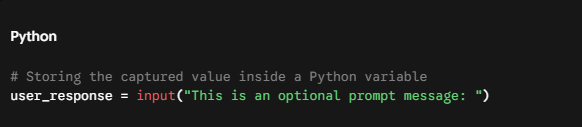
The string inside the parentheses is the prompt. It is entirely optional, but omitting it is a terrible design choice. Without a prompt, your console will just sit there with a blinking cursor, leaving the user completely guessing what they are supposed to type. This basic layout is a staple of any beginner Python tutorial and forms the bedrock of data collection.
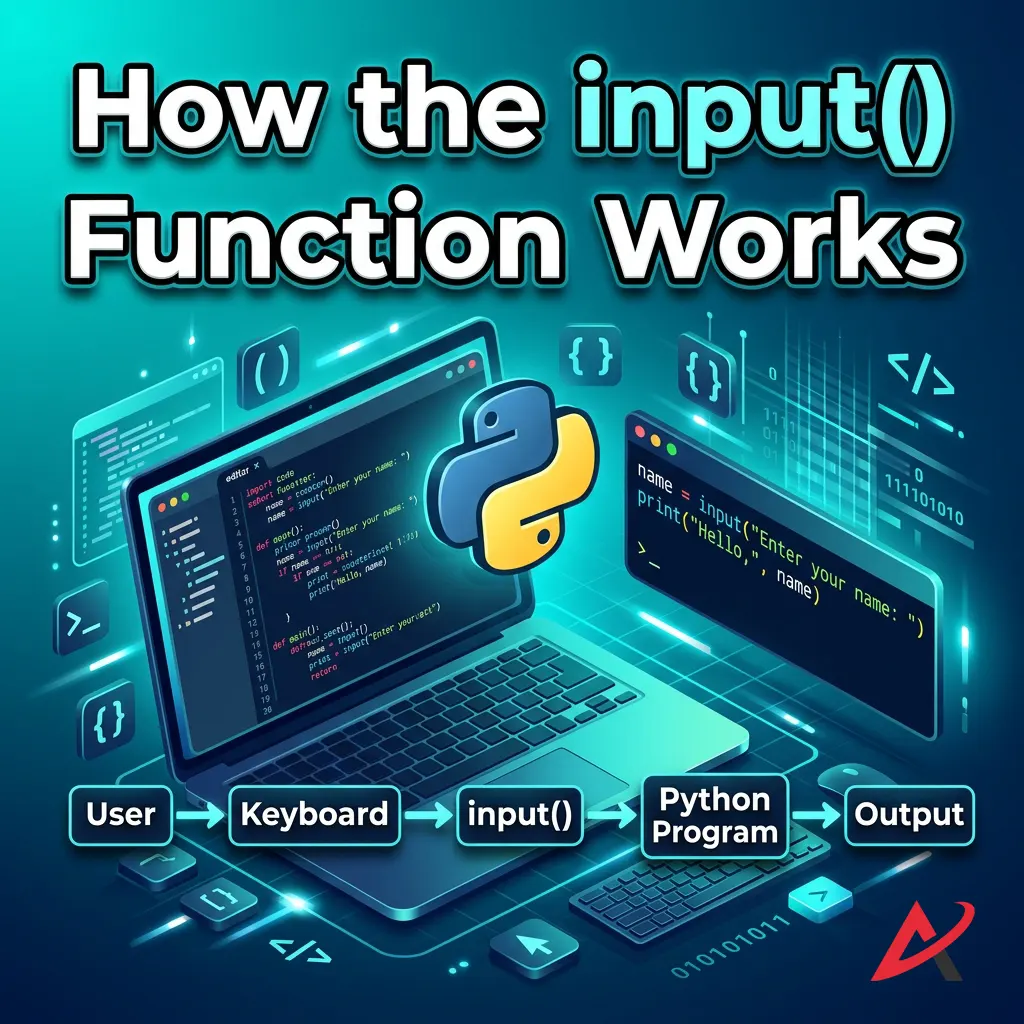
2. How the input() Function Works
To write reliable software, you have to understand exactly what happens under the hood when Python encounters an input statement. It is not just magic; it is a highly structured execution flow.
Execution Flow of input()
When your script runs, the Python interpreter moves down your file line by line. The moment it hits the input() function, a hard biological pause is triggered. The program’s internal clock stops moving forward. The interpreter shifts focus away from computing and hands control over to your operating system’s command-line interface.
Waiting for User Input
At this stage, the program enters an idle state. It consumes virtually zero CPU processing power while it waits. It is listening purely for a specific hardware event: the carriage return, otherwise known as pressing Enter.
You can type a single letter, a paragraph, or an accidentally messy string of symbols. Python will not judge, and it will not react. It simply watches the console buffer. The second your finger hits that Enter key, the operating system packages up every single character you typed up to that point and flushes it straight into the program’s waiting hands.
Returning Input as a String
This brings us to a foundational rule of input and output in Python programming:
The Universal Rule: Regardless of what the user types into the prompt, whether it is a name, a whole number, a decimal percentage, or literal gibberish the
input()function always reads and returns that data as a python input string (str).
Why did Python’s creators design it this way? Because text is the safest common denominator. The terminal reads keyboard strokes as raw text data. Python doesn’t know if the sequence of keys 2, 5, 0 represents a financial amount, an age, or a house number. By saving it as a string input in Python, it guarantees the program won’t crash instantly upon receiving the text, leaving the task of sorting out data types to the developer.
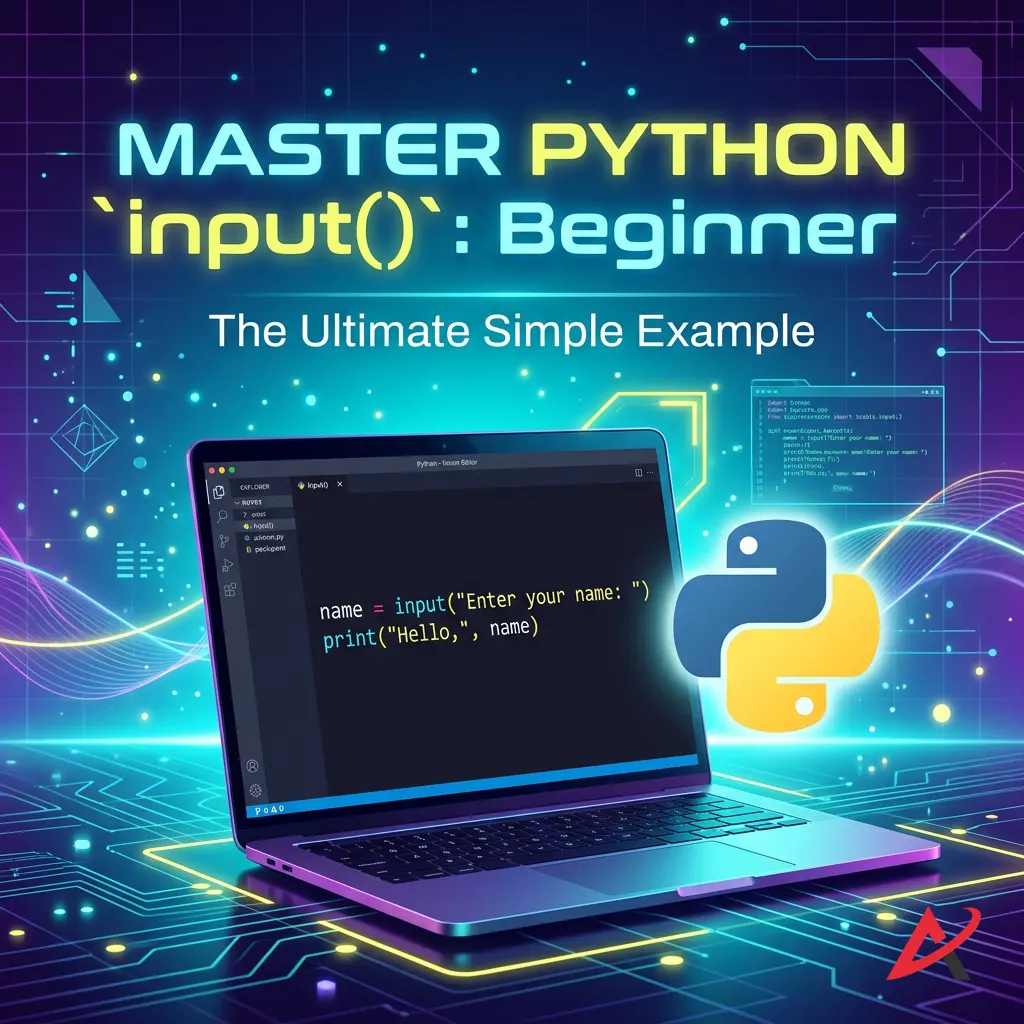
3. Basic Example of Python input()
Let’s pull our heads out of theory and look at a living, breathing code block. Seeing how a Python console input hooks directly into an output stream is the quickest way to internalize the concept.
Simple Name Input Example
Below is a foundational demonstration of Python input with examples that you can copy and paste directly into your own Python IDE or terminal window.
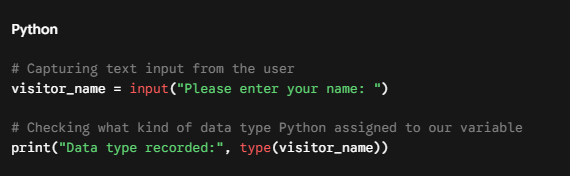
If you run this code, the terminal will cleanly print Please enter your name:. If you type Alex and hit Enter, the program resumes. The type() function will print out<class 'str'>, proving that Python stored those characters safely inside a text wrapper.
Displaying User Input with print()
Capturing data is only half the battle; we also need to output it effectively. We do this by combining our captured Python variables with the standard Python print function.
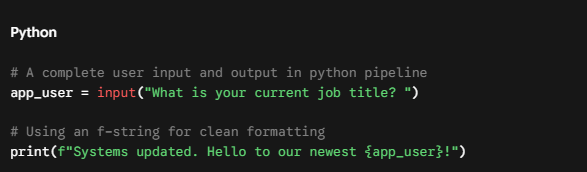
By embedding the variable directly inside an f-string (f"..."), Python dynamically swaps out the placeholder for whatever text was typed at the keyboard. This layout serves as the core framework for any entry-level Python interactive programs.

4. Taking Different Types of User Input
Because the input() function stubbornly insists on returning text strings, you will quickly run into roadblocks if you try to perform calculations. If you try to multiply a raw input by a number, Python will simply repeat the text over and over instead of doing math. To fix this, we use a technique called type casting in Python.
Integer Input Using int()
If you are designing a tool that needs to process whole numbers, like calculating birth years, counting items, or assessing inventory, you must explicitly convert that incoming string. We achieve this by wrapping our input logic directly inside the int() function in Python.
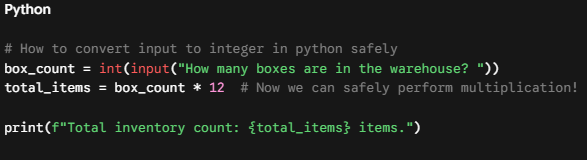
By applying int(), you strip away the string shell and convert the text characters into a pure, mathematical Python integer input.
Float Input Using float()
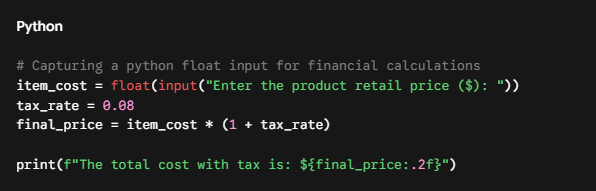
What happens if your data requires precision? If you are tracking prices, weights, distances, or grade point averages, an integer will cause your program to lose vital decimal data or crash entirely if a dot is detected. For these scenarios, you want to route your data through the float() function in Python.
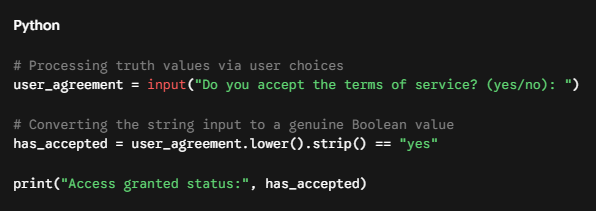
Boolean Input (Manual Conversion)
Booleans (True or False) are deceptively tricky when dealing with inputs. If you try to run bool(input(Type False:)), Python will actually evaluate that variable as True. Why? Because the bool() function returns True for any string that isn’t empty!
To capture a proper truth value from a user, you must perform a manual, conditional comparison:

5. Accepting Multiple Inputs in Python
Imagine asking a user to input their home address, but making them submit the street name, city, state, and zip code across five separate prompts. It feels slow, clunky, and outdated. Fortunately, Python provides a cleaner route.
Multiple Values in One Line Using split()
You can easily capture multiple user inputs in Python all on a single line by leveraging the power of Python’s built-in .split() string method.
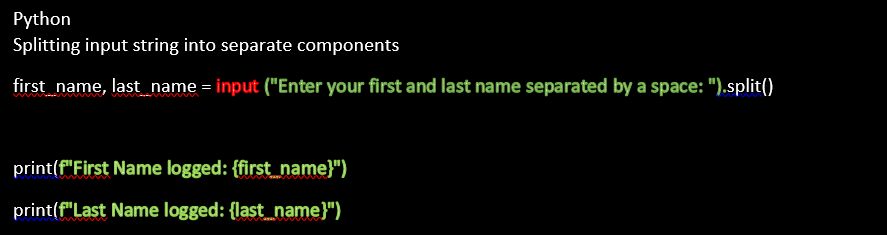
When you call .split() on an input, Python reads the entire long string typed by the user, cuts it into pieces wherever it finds a space, and spreads those individual segments out into your designated variables.
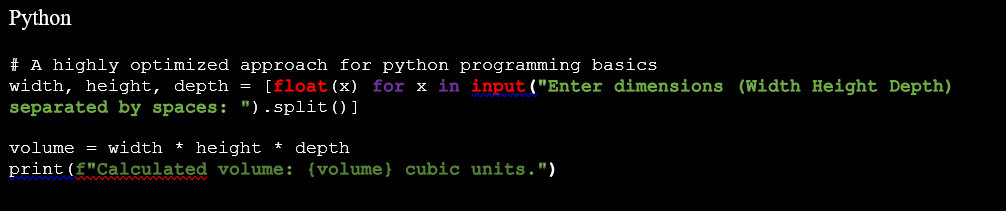
Example with Numbers
If you need to accept multiple numeric values quickly—such as three coordinates or a list of scores—you can combine .split() with a foundational technique called list comprehension to cast all values simultaneously:

6. Converting User Input to Other Data Types
Let’s demystify why data conversion matters so much. When you understand the underlying mechanics of data type conversion in Python, you stop writing accidental bugs and start writing intentional, clean systems.
Why Type Conversion is Necessary
Computers require explicit instructions. To Python, the character 5 (a string) and the value 5 (an integer) live in entirely different universes. They are stored differently in your system’s RAM.
If you attempt to run 5 + 5, Python drops everything and displays a TypeError. It has no idea if you want to turn the second 5 into text to make 55, or if you want to turn the first 5 into a number to make 10. Explicit type conversion eliminates this ambiguity.
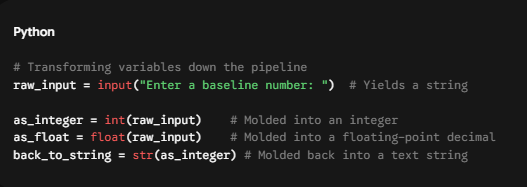
Using int(), float(), and str()
Think of casting functions like processing molds in a manufacturing plant. You pour raw text input into them, and they output a predictably shaped data type.
Common Conversion Errors
The danger with type casting is that it assumes your user is going to cooperate perfectly. If your code expects an integer viaint(input()), but a user types in twelve, Python’s interpreter will panic. It cannot find a mathematical representation for alphabet letters, causing it to halt program execution instantly with a loud, red error message.
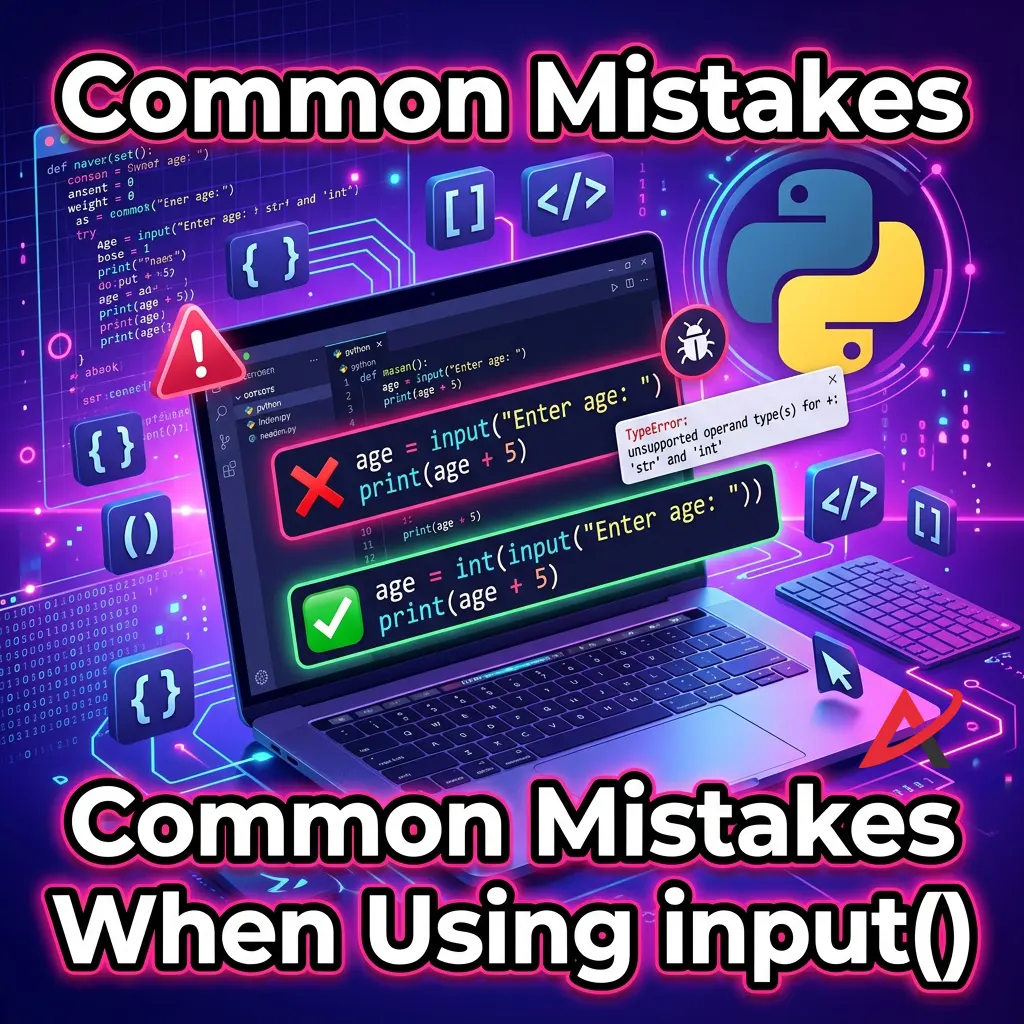
7. Common Mistakes When Using input()
Even seasoned developers occasionally slip up when handling console entries. Let’s shine a light on the three most common mistakes made in Python interactive programs so you can bypass them entirely.
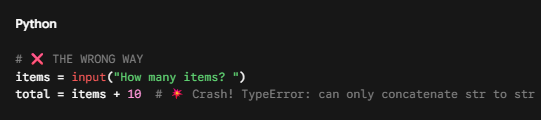
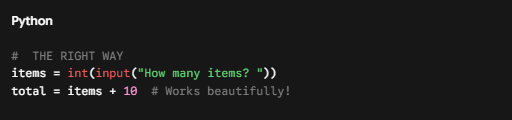
Forgetting Type Conversion
This is the number one slip-up for beginners. You write out a brilliant equation, but forget to wrap your input statement. Let’s look at the broken logic vs. the fix:
Invalid Numeric Input
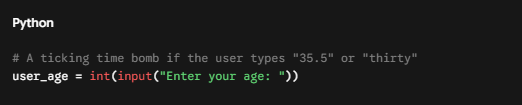
If you do not protect your type conversions, your application is incredibly fragile. A simple typo from a user can break your entire script on the spot.
Handling ValueError
To build robust software, you must anticipate human error. We handle these potential pitfalls gracefully by using exception handling in Python via a structured try and except block.
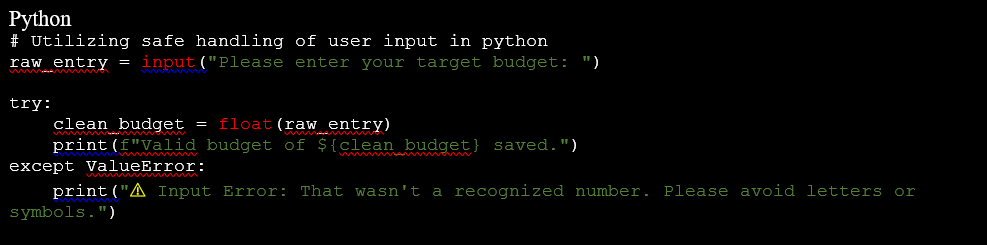
By routing unpredictable input through a try block, you create a soft landing pad for your code. If a user types something unreadable, the program avoids crashing and handles the error gracefully. For an in-depth operational guide on structured errors, see the Python Errors and Exceptions Tutorial.
8. Practical Examples of the Python input() Function
To help solidify these concepts, let’s look at three practical, self-contained examples. You can try these out in your local code editor to see how everything ties together.
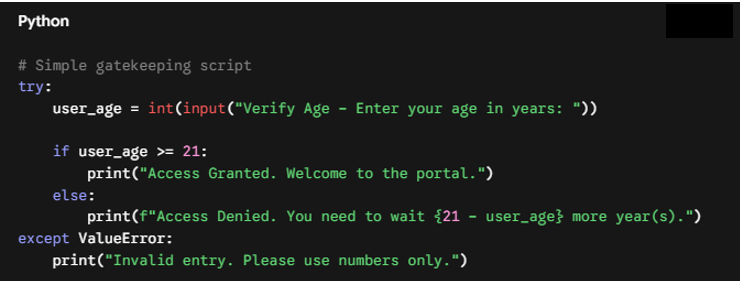
Example 1: The Smart Age Checker
This script demonstrates how to capture input, convert it to an integer, and evaluate it using conditional statements in Python.
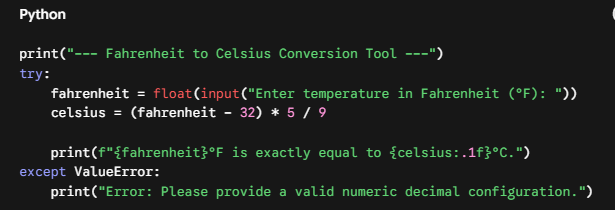
Example 2: Precision Temperature Converter
This practical script handles floating-point math formulas to translate weather values between scales.
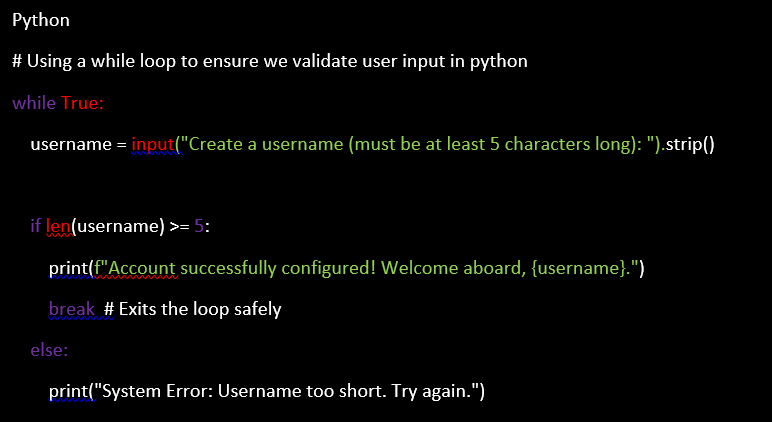
Example 3: Dynamic Loop Greeting Program
Here, we combine input validation with Python loops to continuously nudge a user until they give a valid response.

9. Learning Resource Guide: Mastering Python Fundamentals
When you are teaching yourself Python programming fundamentals, the sheer volume of tutorials online can feel overwhelming. Choosing how to structure your studies can save you months of confusion.
Choosing the Right Learning Materials
To move beyond simple syntax and truly master real-world software engineering, prioritize courses and learning resources that offer three key structural elements:
- Immediate Interactive Practice: Avoid passive video streaming. Look for a Python programming course or an online Python tutorial that includes hands-on sandboxes and Beginner-Friendly exercises right alongside the reading material.
- Comprehensive Project Work: The quickest way to grow is by running into real problems. Seek out a Python programming guide that emphasizes building projects like building interactive terminal games or command-line file organizers.
- Emphasis on Edge Cases: The difference between a hobbyist and a professional developer lies in how they handle errors. Look for a Python input function tutorial that spends as much time teaching data validation and error recovery as it does explaining basic syntax.
If you are looking for structured options, look up highly reputable interactive platforms like Real Python for practical deep-dives or Exercism for code-mentor reviewed problem tracks.

Quick Summary / Key Takeaways
- Always a Text Wrapper: The built-in
input()function pauses your script execution and invariably reads all incoming keystrokes as a text string (str). - Casting is Mandatory: If you need to perform calculations or any mathematical logic, you must manually run your data through type casting tools like
int()orfloat(). - Expect the Unexpected: Users will regularly type the wrong data into your prompt. Use defensive programming strategies like
try/exceptstatements to validate input and avoid unexpected application crashes. - Streamline with Split: You can clean up your user experience by appending
.split()onto your inputs to collect multiple, space-separated answers in one single move.

FAQs (Frequently Asked Questions)
Does the input() function always return a string?
Yes. Even if a user enters numbers like 42 or 9.99, Python interprets those keystrokes purely as text characters. You must manually cast them to a different data type if you want to use them for mathematical operations.
How do I convert user input into an integer?
You can cast your input into a whole number by wrapping the entire statement inside the int() function, like so: age = int(input(Enter age:)).
Can I take multiple inputs at once in Python?
Yes! By calling the .split() method on your input line, you can capture multiple space-separated strings and assign them to separate variables in one go: x, y = input(Enter two items:).split().
What happens if a user enters invalid data?
If you try to convert an invalid string (like letters or symbols) into a number using int() or float(), Python will throw a ValueError and halt your program. You can easily catch and resolve this by writing a standard try/except safety block.
What is the difference between input() and print() in Python?
They are opposite sides of the same communication coin. The input() function acts as an inbound channel that pulls text data into your script from the keyboard, while the print() function serves as an outbound channel that displays data onto your computer screen.

Conclusion
Learning how to take user input in Python is a major milestone in your development journey. It shifts your code away from being a predictable script and turns it into a responsive, real-world tool.
The core concepts boil down to a simple habit: capture your data using input(), cast it using functions like int() or float(), and secure it using error-handling blocks to keep things running smoothly.
The best way to commit this to memory is through direct practice. Open up your code editor, write out a few interactive prompts, and try building a simple program of your own today!
Related Blogs
Python Operators: Arithmetic, Comparison, Logical Operators with Examples
Python Variables and Data Types: A Beginner’s Guide with Examples
Your First Python Program: How to Print Hello World (No Experience Needed)
How to Install Python on Windows, Mac, and Mobile – Step-by-Step Guide
What Is Python for Beginners? A Complete Guide for Absolute Beginners Who Never Coded Before